
Every channel, and campaigns with A/B tests
Email, Web Push, mobile push, in-app messages, Telegram, MAX, VK, Instagram Direct, Facebook Messenger, SMS, WhatsApp and Viber share the same rules: consents, frequency caps and quiet hours are checked for every message.
Scheduled campaigns
The audience is frozen at launch, delivery follows the recipient’s local time. A/B tests with automatic winner selection, and in a recurring campaign auto-select shifts variant shares to the best one based on previous runs. A report on deliveries, opens, clicks and conversions.
Marketing calendar and approvals
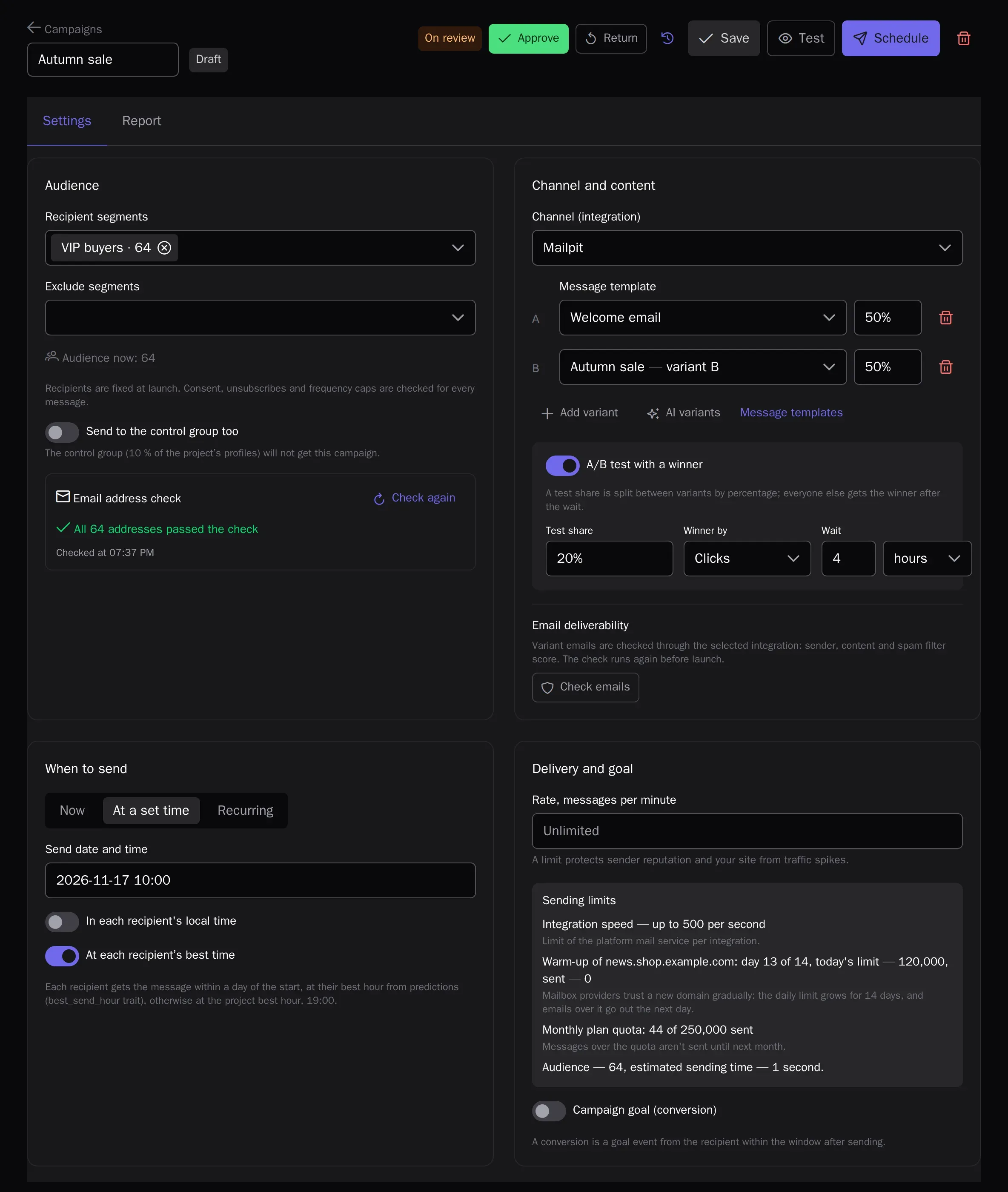
Campaigns, scheduled and date-based journeys, your team’s own marks and holidays of 13 countries on one month or week calendar; drag a one-time campaign to another day. For teams and agencies there are approvals: the author sends a campaign or journey for review, and it can only be launched once approved. Any change after approval sends it back for review.
- How many profiles enter a birthday journey on each day
- Separate “Approve campaigns” and “Approve journeys” permissions
- Approval history and emails to reviewers and the author
Email designer
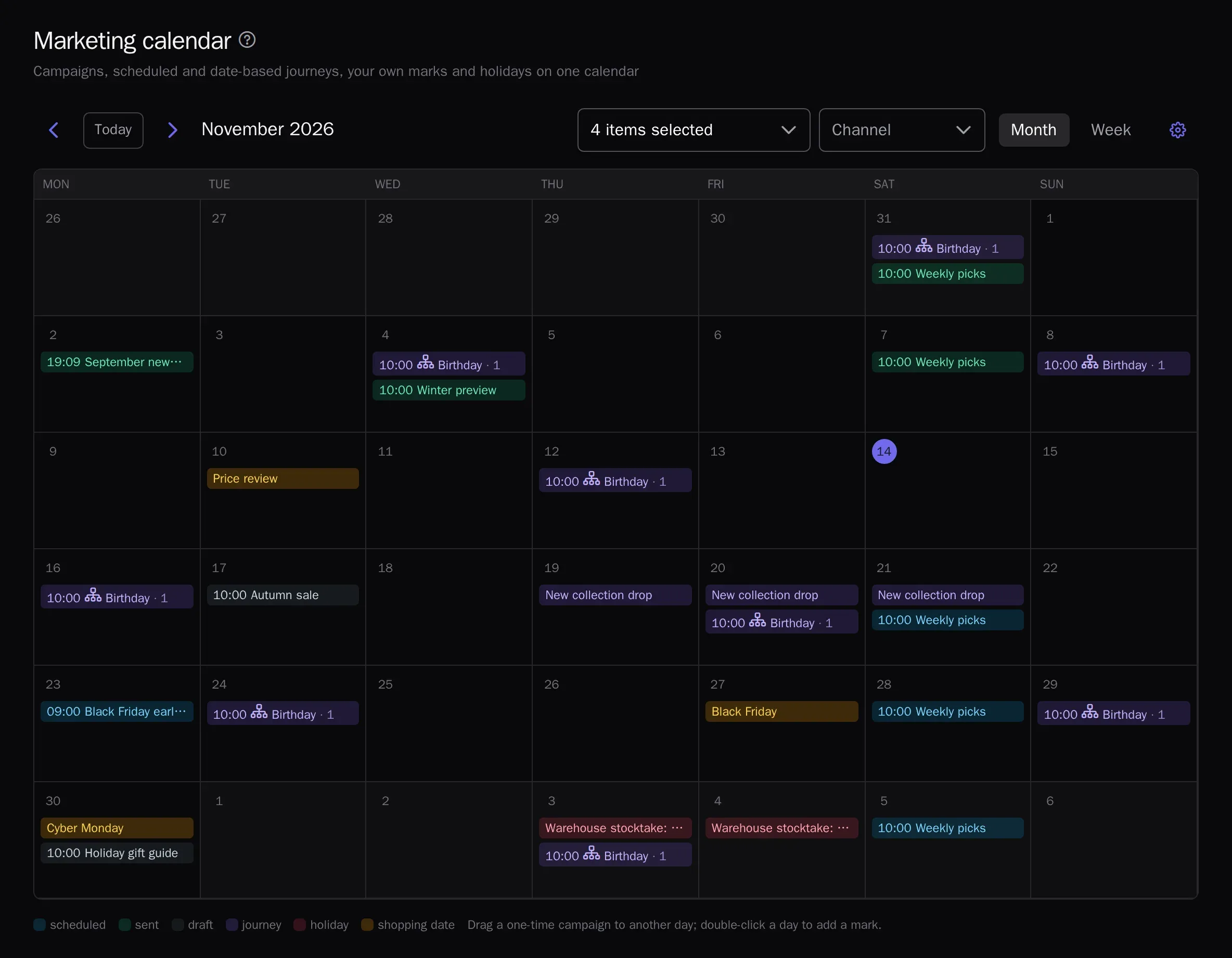
Blocks, profile variables and product recommendations in the email; an image library; preview on any profile and test sends.
AI import of ready-made emails
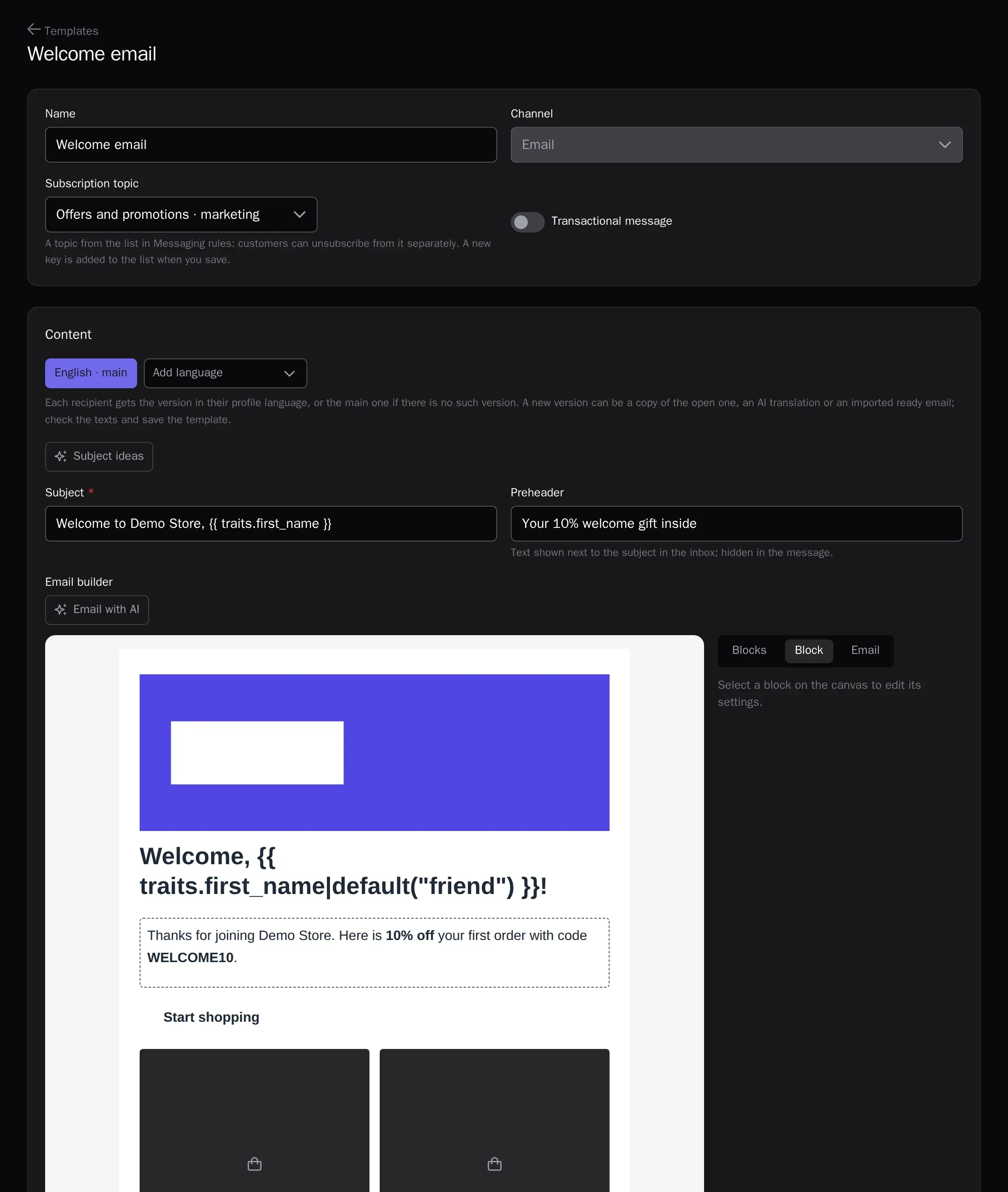
Upload an email saved from your mail app (.eml) or its HTML: AI splits it into designer blocks, inserts the recipient name and the unsubscribe link, and moves the images to the media library. Switch from another email service without rebuilding your emails by hand. On the Growth and Enterprise plans.
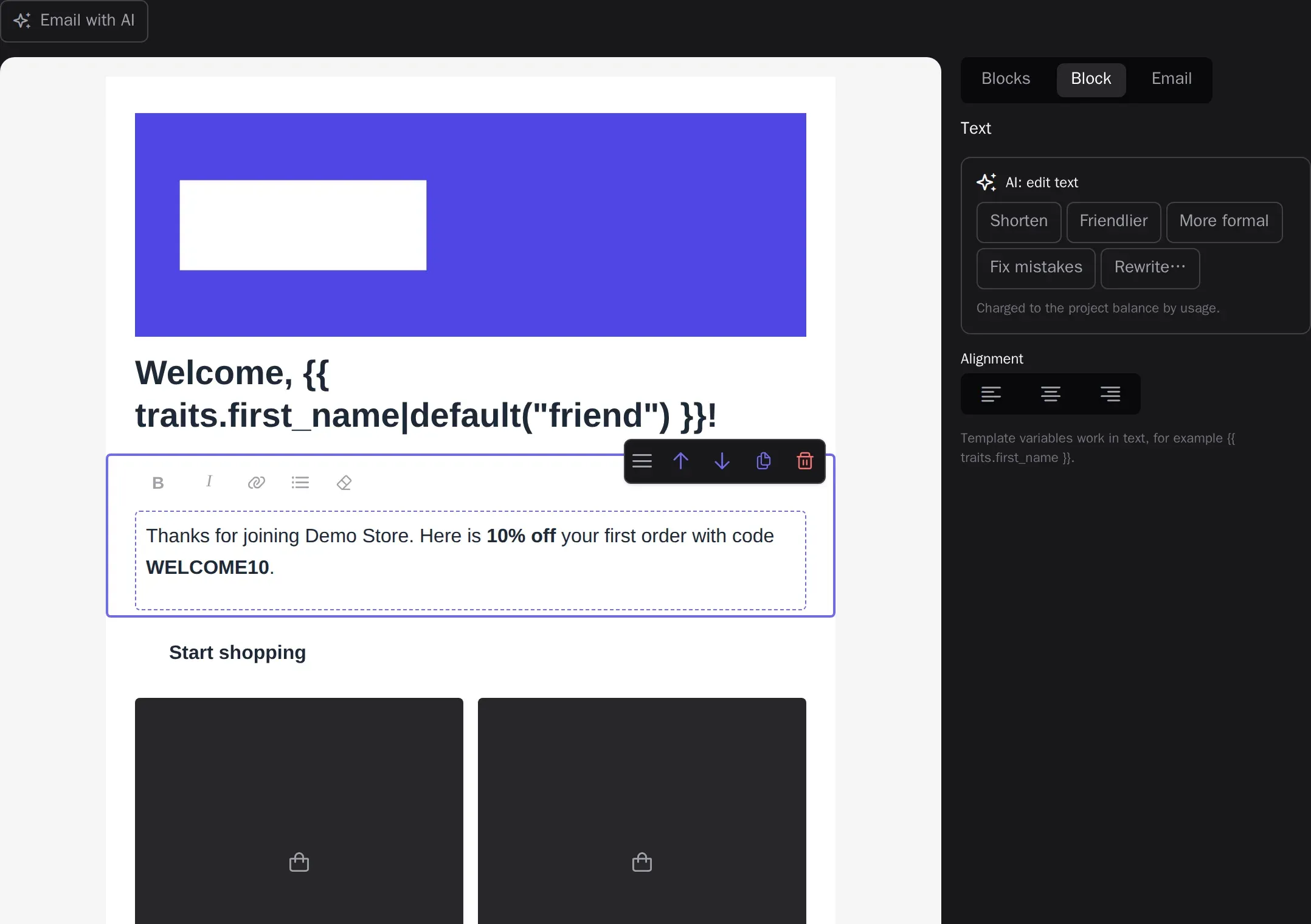
AI in the email designer
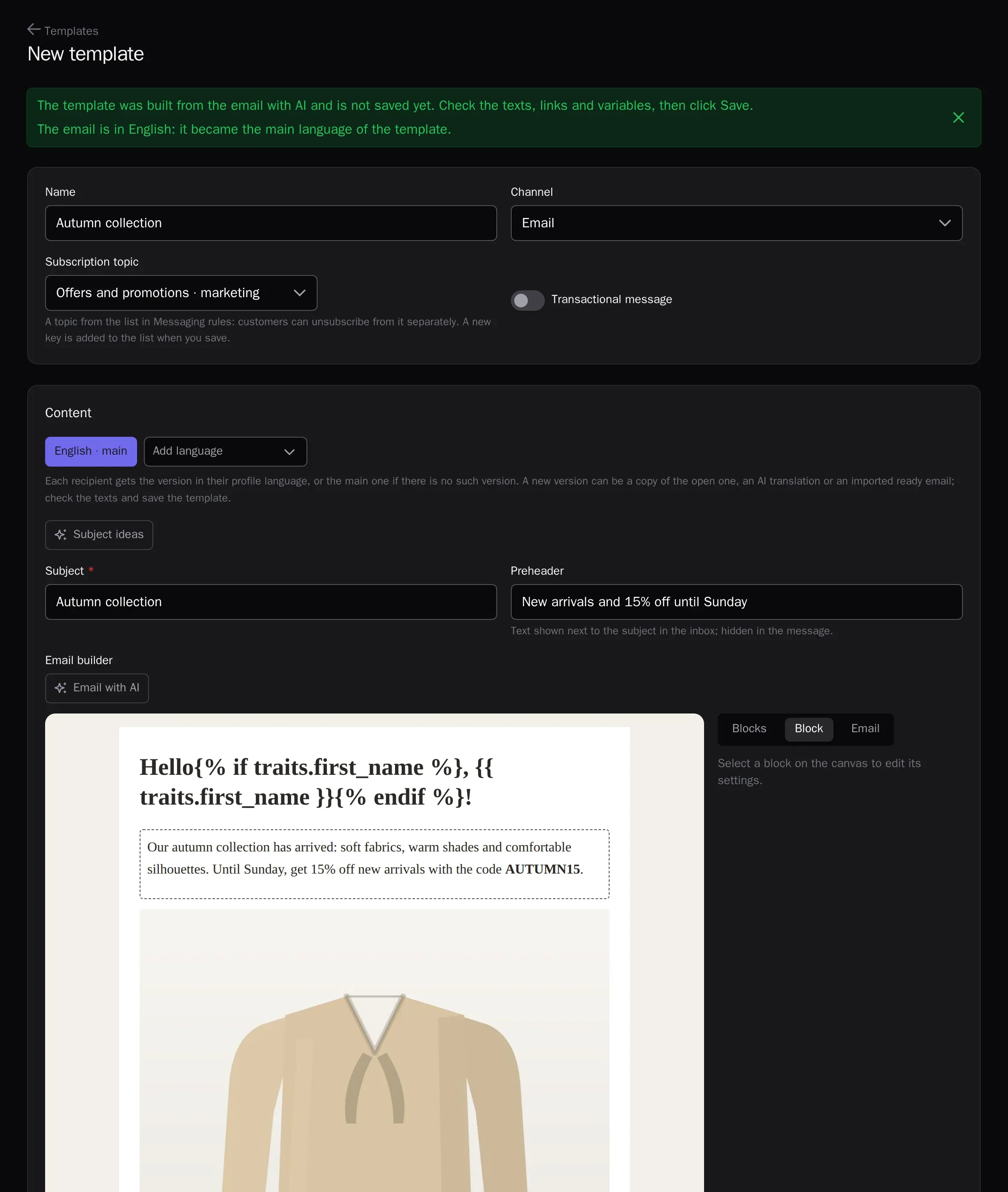
Claude suggests five subject and preheader pairs for the goal of the email, shortens and rewrites block text without touching variables, and builds a whole email from a description — with products from your catalog. In a campaign, the “AI variants” button creates variants B–D for an A/B test. The AI writes in the brand voice from your project settings and never receives customer data. Pay as you go.
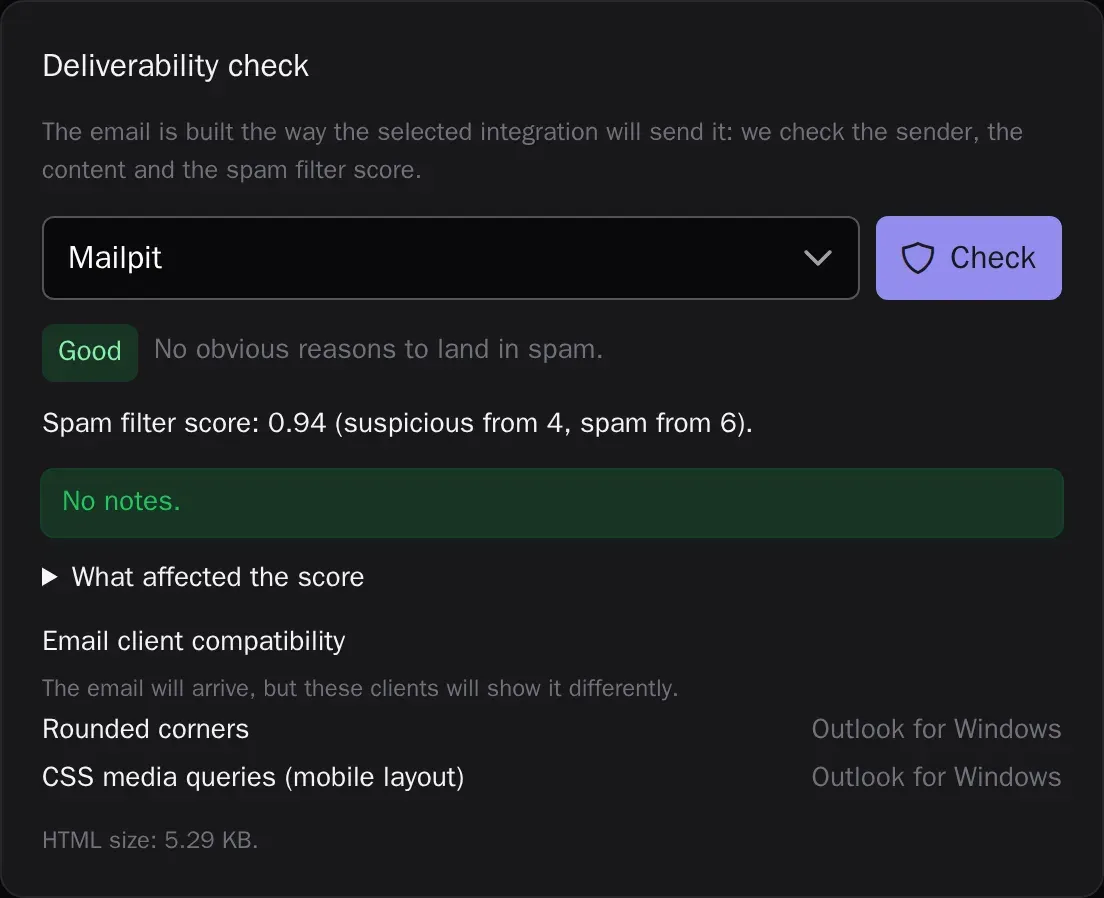
Deliverability check before sending
The email is checked the way mailbox providers will see it: the spam filter score and what affected it, the sender’s SPF, DKIM and DMARC, subject and preheader, Gmail clipping, image-only emails, links and the unsubscribe link — with advice on how to fix each issue. Plus layout compatibility with Outlook, Gmail, Yandex Mail and Mail.ru, an inbox preview and a view with images off. The check runs again before a campaign starts. On every plan.
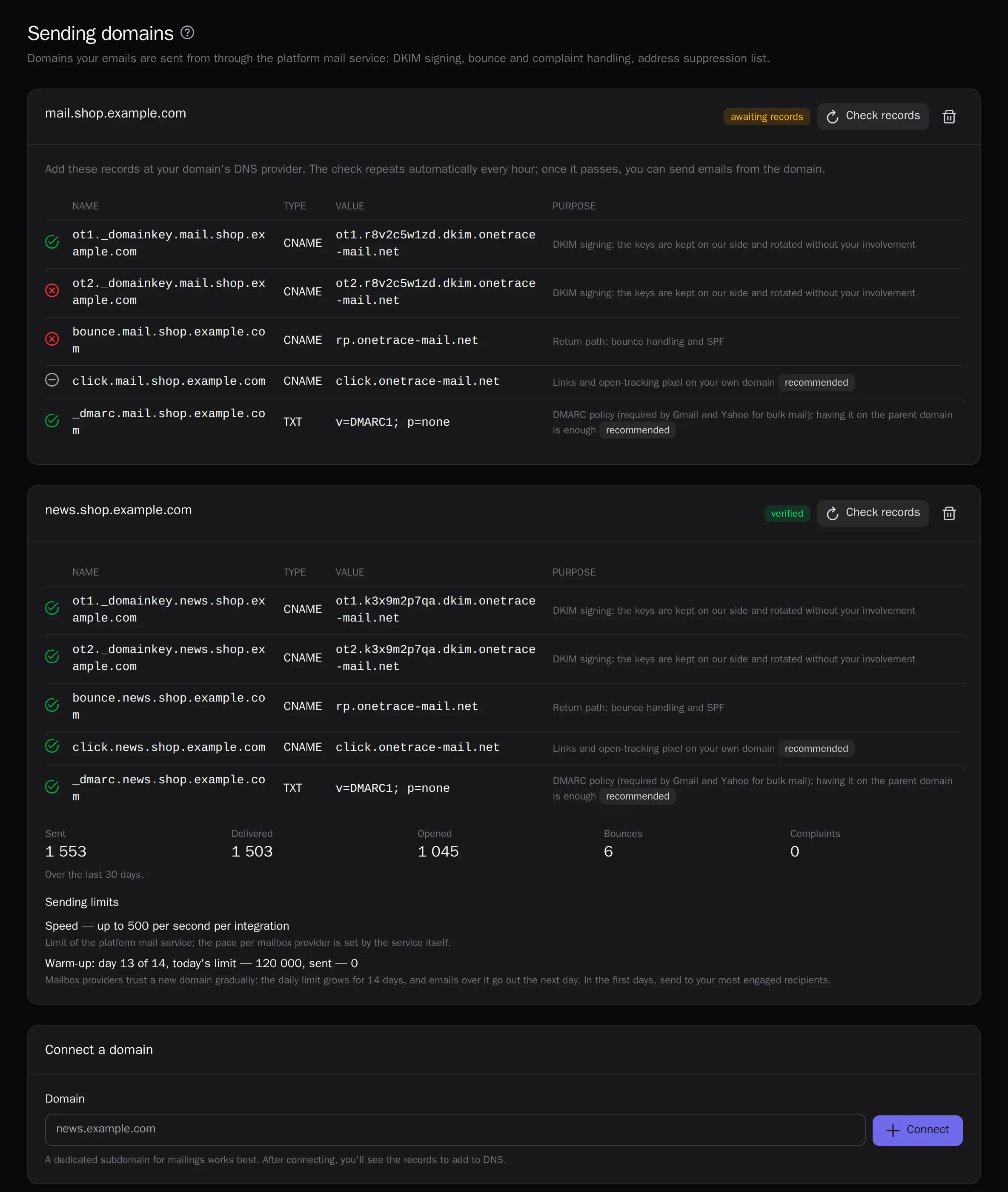
Built-in mail service
Connect your domain with a set of CNAME records — DKIM, the return path and the link domain are configured for you. Domain warm-up, an address suppression list and automatic campaign pause on complaints protect your reputation.
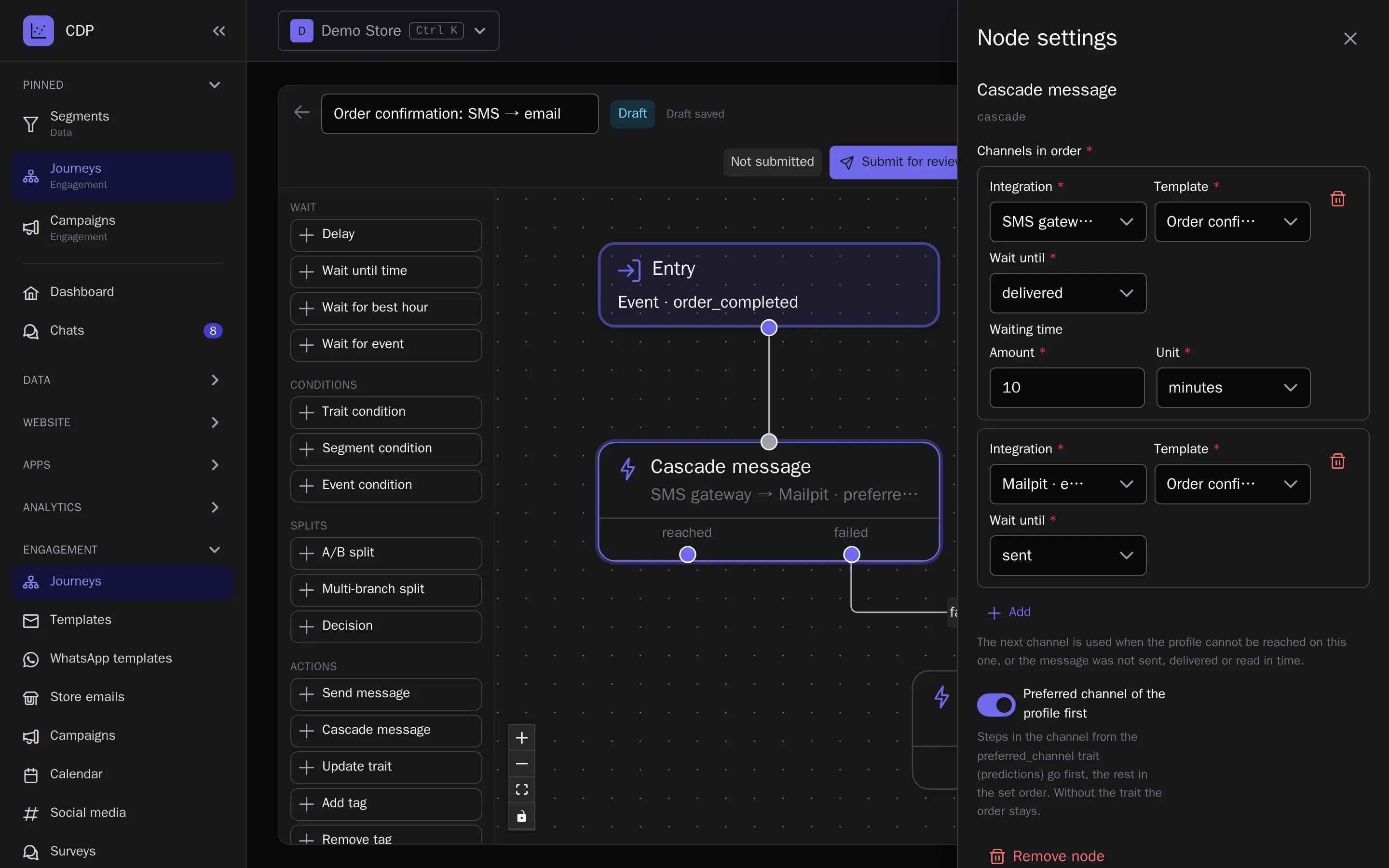
Transactional messages and cascades
Order confirmations and sign-in codes go out at once through a separate queue — with one API request from your server or from a journey; the recipient profile is created for you. A cascade tries channels in turn: WhatsApp, then SMS if it is not delivered within 2 minutes, then email. Transactional messages on every plan, cascades on Growth and Enterprise.
Store emails through OneTrace
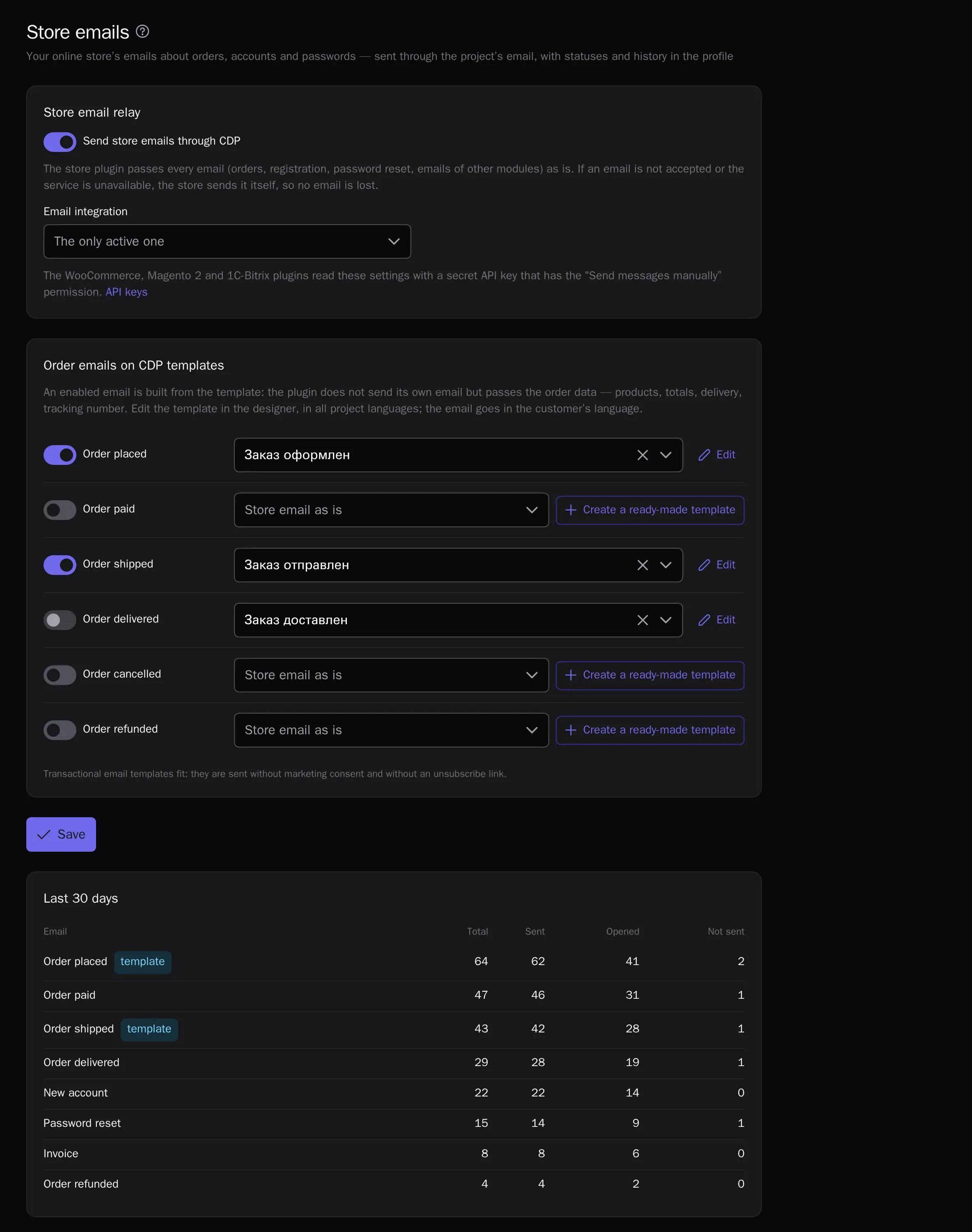
The WooCommerce, Magento 2 and 1C-Bitrix plugins send your store’s emails — orders, registration, password resets, invoices attached — through the project’s email, with the deliverability of the built-in mail service and with statuses and history in the customer profile. Order emails can be built from ready-made templates in 10 languages: products with images, totals, the parcel tracking number, and the shipped and delivered emails store platforms don’t have. If an email is not accepted, the store sends it itself. On every plan.
- The Order block in the email designer
- Emails in the customer’s language
- Copies to the shop and staff go out from the store as before
Preference center
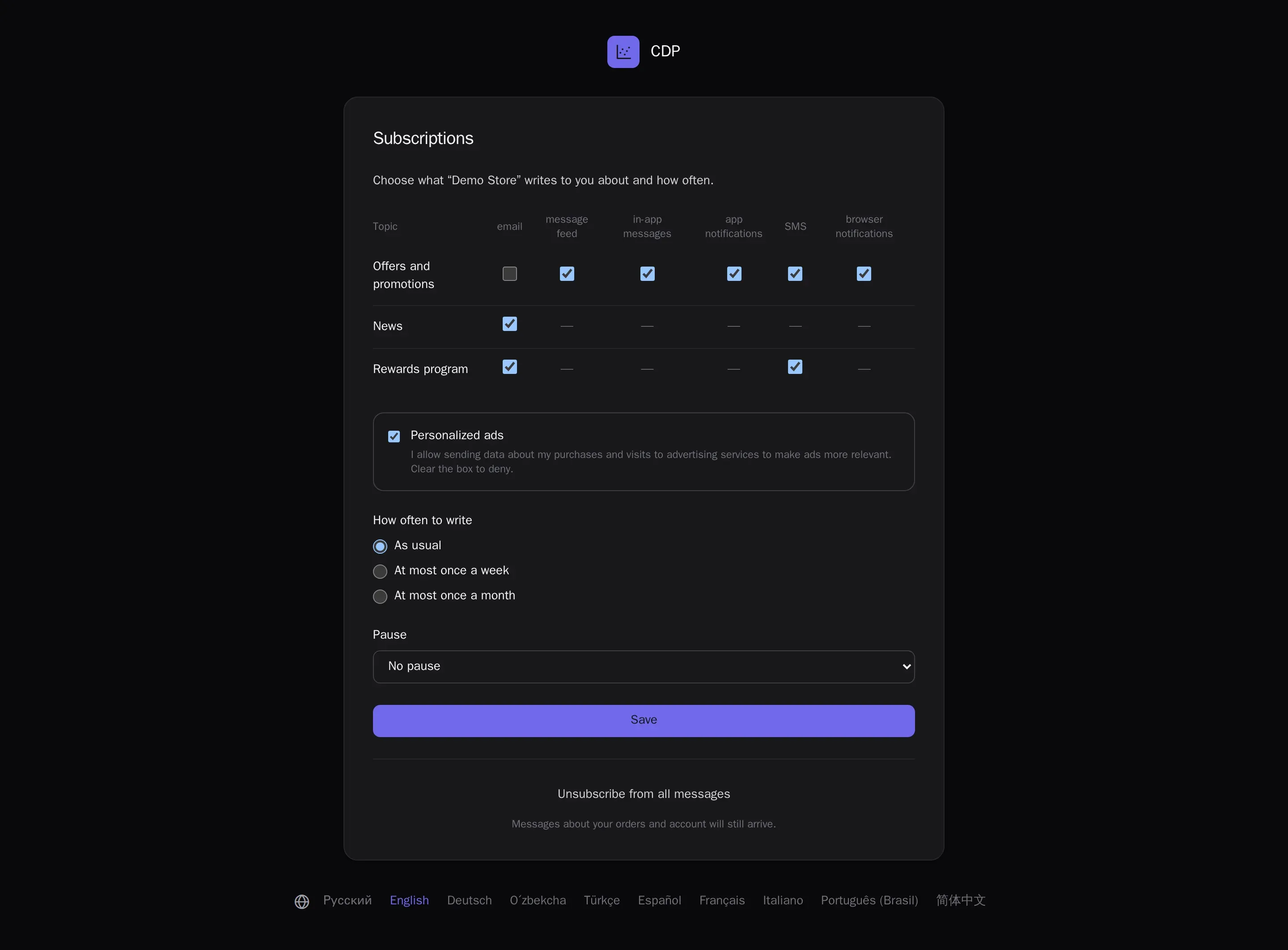
The unsubscribe link opens a page on your brand’s domain: instead of leaving for good, the customer drops one topic, picks topics in every channel, asks for at most one message a week or a month, or pauses for 30 or 90 days. The same choice is available in a My account tab of WooCommerce, Magento 2 and 1C-Bitrix and through the API. On every plan.
- A topic registry with names in the project’s languages
- Frequency and pause apply to marketing only
- One-click topic unsubscribe from the mail app
Mobile apps: push and in-app messages
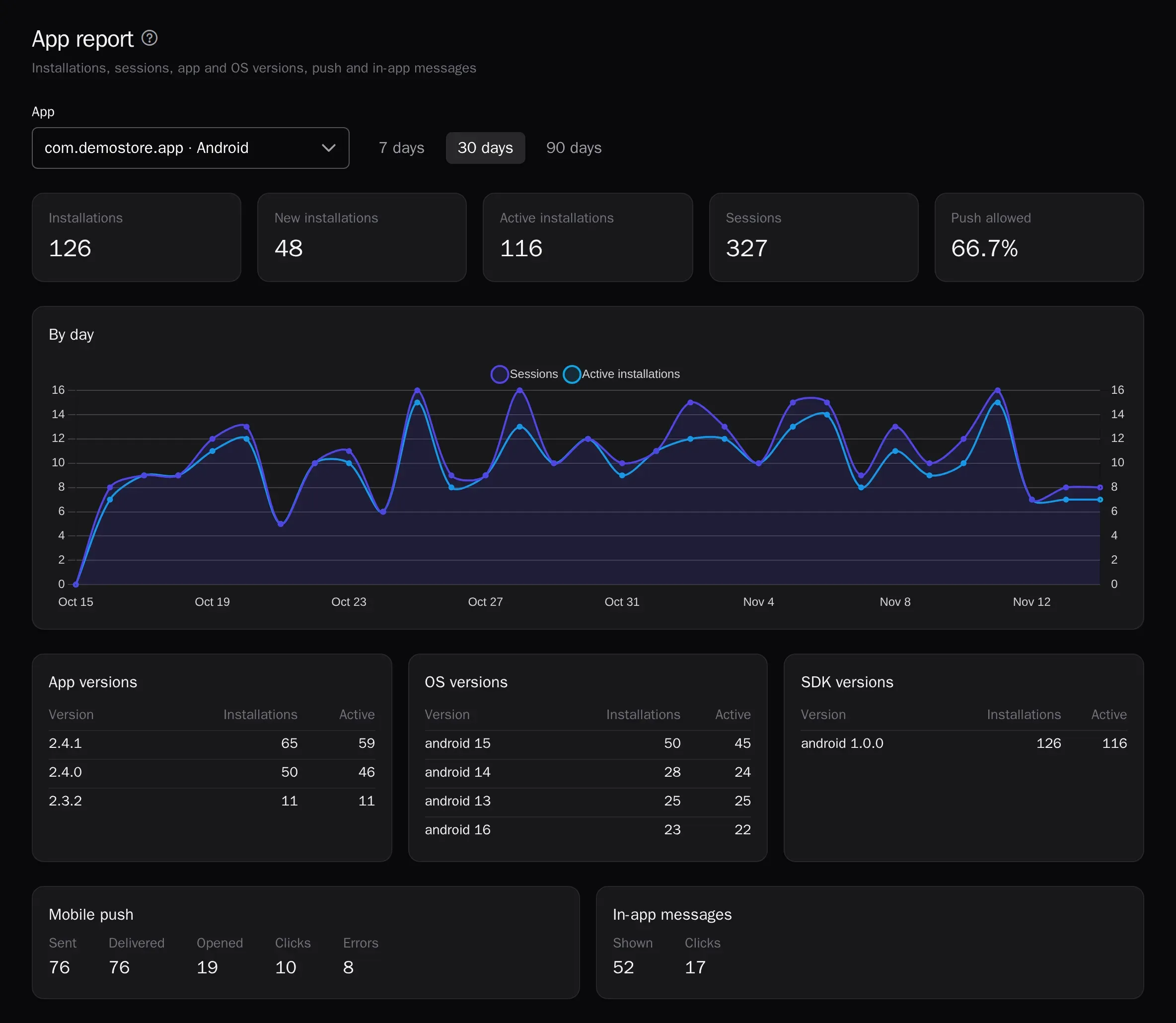
The SDK for Android, iOS, Flutter and React Native sends app events to the same profiles as the website and registers installations for push. Mobile push goes out through Firebase and APNs from journeys and campaigns; in-app messages — a modal, a banner or a full screen — show right away or after a chosen event, such as adding to the cart. The Apps section has the connection code, an installation check, a test push to your own phone and a report: installations, sessions, app and OS versions, deliveries and opens. The SDK and mobile push are on every plan, in-app messages on Growth and Enterprise.
- App events, screens and sign-ins in the profile history next to the website
- A push tap opens the right screen and counts as a click
- In-app messages can be held back during checkout
Message feed on the website and in the app
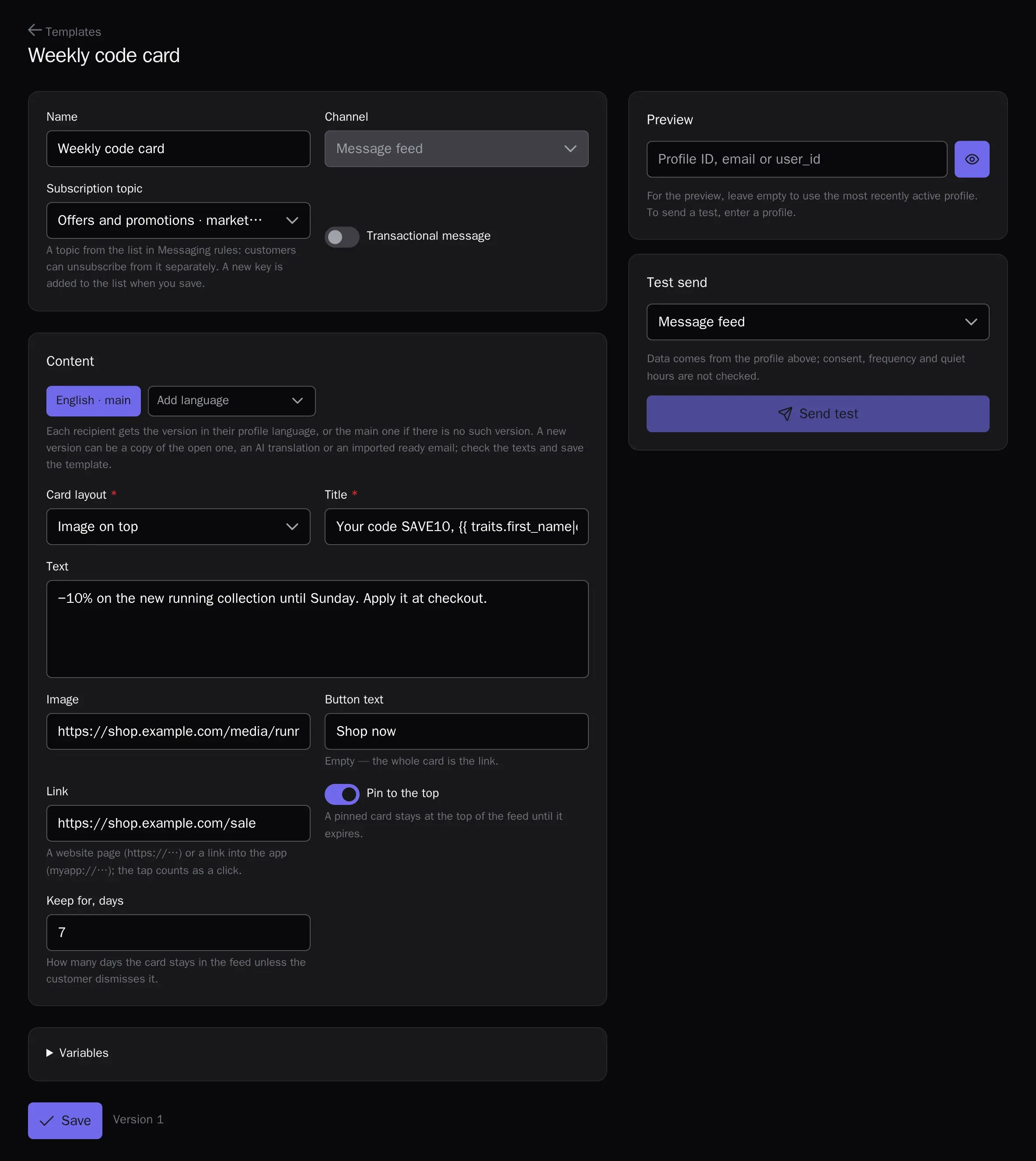
Personal cards — a promo code, news, a reminder, loyalty progress — stay with the customer until they expire or the customer dismisses them, instead of disappearing after one view. On the website the feed opens from a bell with a counter, an icon in your header or a tab in the chat window, with no code; in apps the ready-made screen of the SDK for Android, iOS, Flutter and React Native shows it. Cards go out from journeys and campaigns under the same consent and frequency rules; a view counts as delivery, a tap as a click. From the Growth plan.
- Three card layouts, pinning to the top and up to 90 days
- An unread counter on the icon, no notification permission needed
- Your own design through the feed data in the tracker and SDK
Social media subscribers by keyword
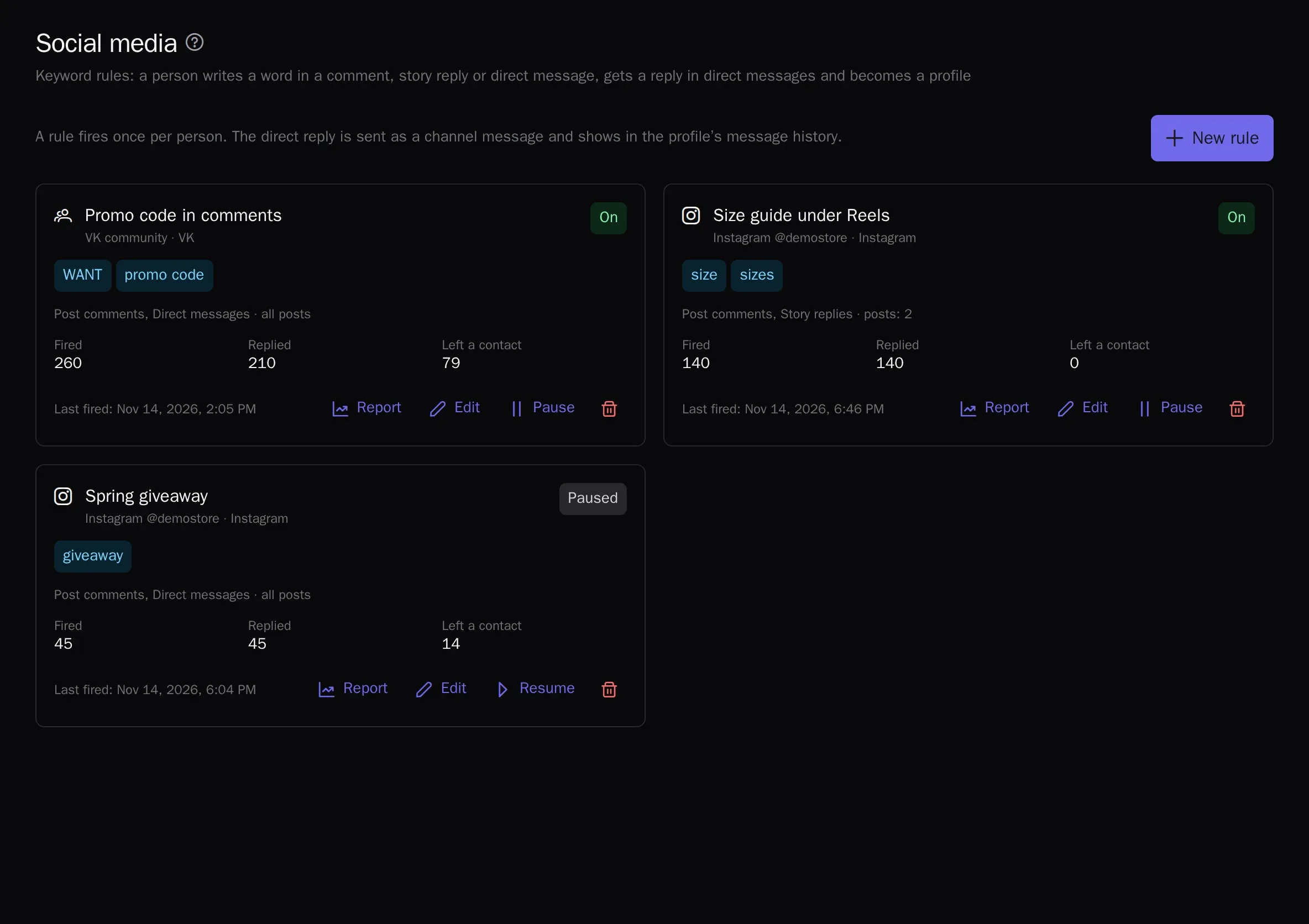
Someone writes “WANT” under a VK post, in an Instagram story reply or in a direct message and instantly gets a DM with a promo code or a link, while their profile appears in the CDP. The rule picks how to answer by itself: a direct message, an Instagram private reply to the comment, or a reply under the comment with a link to the conversation. Ask for an email or phone, start a journey and build a segment from the rule. On the Growth and Enterprise plans.
- Keywords match regardless of case and with typos
- One reply per person, even if they comment under every post
- Rule report: fired, replied, left a contact
Shopping in WhatsApp: product carousels and forms
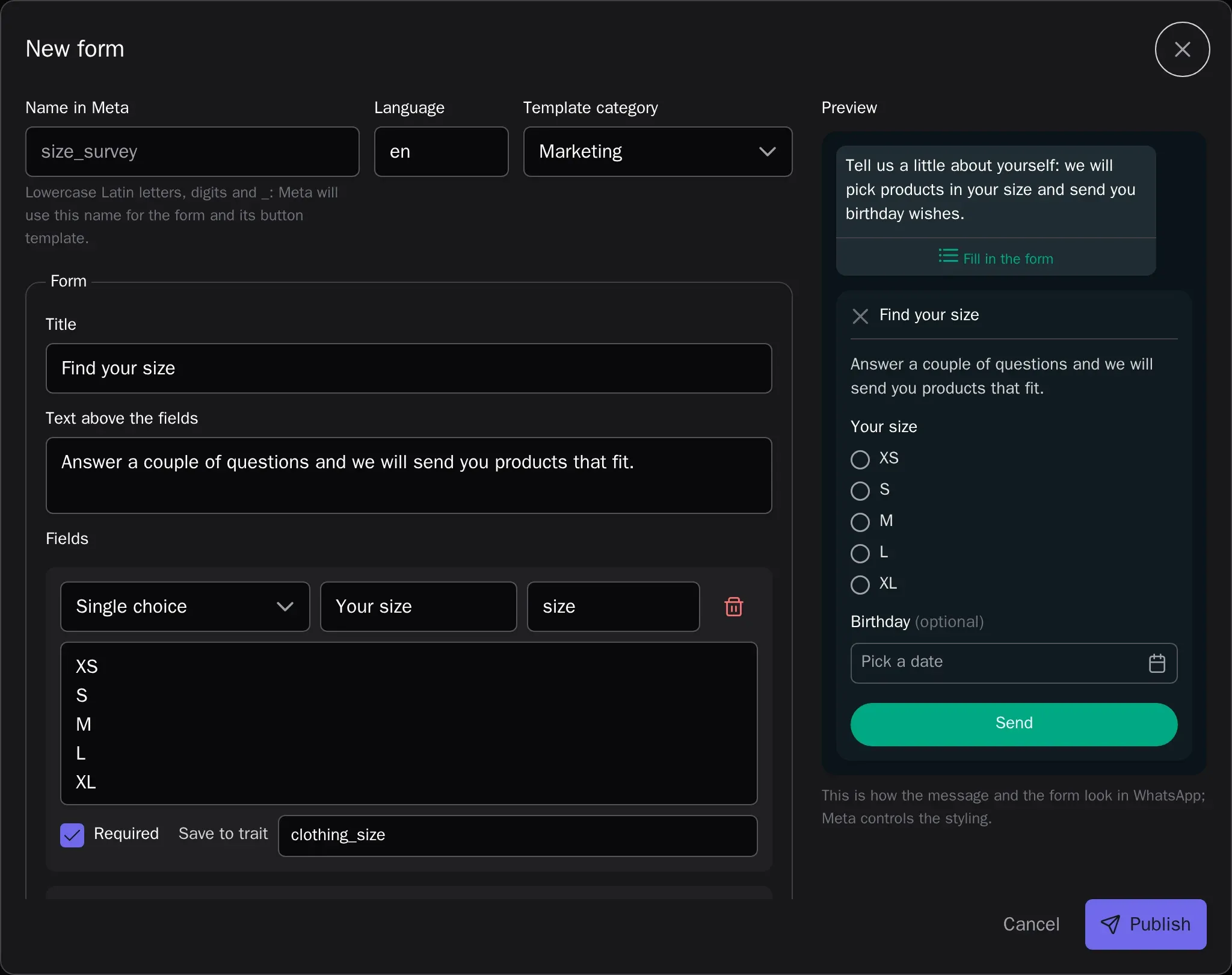
A carousel is a set of swipeable product cards with a photo, a price and a Buy button that opens the product page on your website. Products are picked for each recipient from recommendations or your own list, and clicks are counted in the report. A form opens right in the chat: size, options, text or a date; the answers go straight into the profile, and a journey waits for them before moving on. Templates and forms are created in the CDP and submitted to Meta for approval. On the Growth and Enterprise plans.
- Carousels of 2 to 10 cards with product fields in the text
- A form goes out right away within 24 hours, later as an approved template
- Answers become profile traits and an event for journeys and segments
Channel integrations
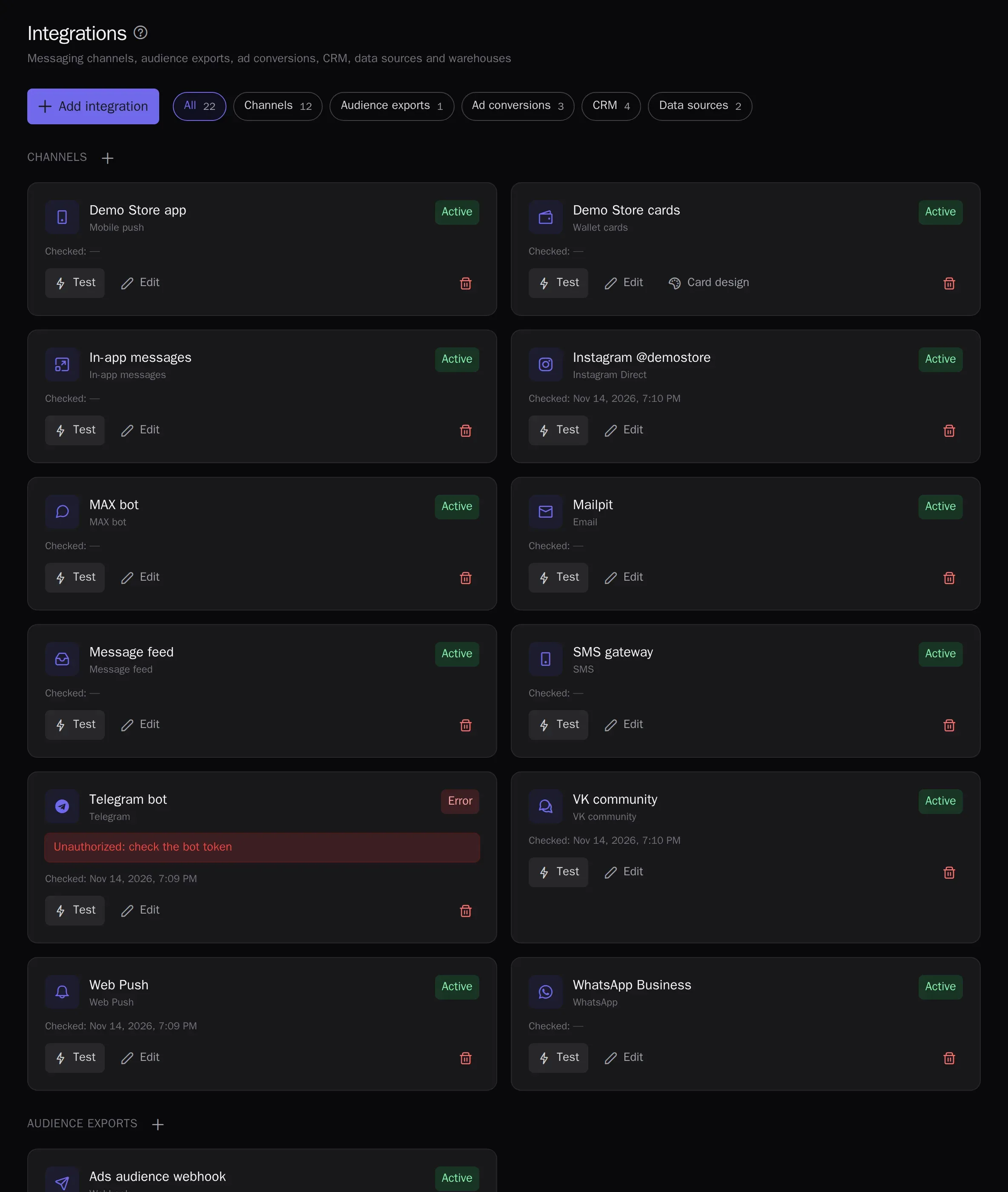
SMS gateways, WhatsApp and Viber through your providers, Telegram and MAX bots, a VK community, Instagram Direct and Facebook Messenger, Web Push without third-party services, and webhooks to any system.
- Profiles and eventsA single customer profile from website, app and CRM events.
- SegmentsAudiences by events and attributes — in real time.
- PredictionsRFM, churn risk, purchase probability, revenue forecast, best send time and channel.
- JourneysVisual scenarios: triggers, waits, branches and A/B.
- LoyaltyPoints, paying with points, tiers, friend referrals, promo codes and Wallet cards.
- Live chatWebsite chat, messengers and email in one inbox for your whole support team, with the customer profile alongside.
- Signup formsPopups and website forms: the contact goes straight into the profile with consent.
- Recommendations and widgetsPersonal product picks on your site and in emails.
- AnalyticsReports, funnels, retention, revenue, traffic, channel attribution, ROPO and a control group.
- AI assistantsThe in-app assistant figures things out and builds campaigns; Claude and ChatGPT over MCP.
- White-labelThe platform under your brand and domain.
Try it on your own data
14 days on the Growth plan, no card required: up to 1,000 profiles and 500 emails a day.