
A customer chat that knows your customers
Questions from your website, Telegram, MAX, WhatsApp, Viber, VK, Instagram, Facebook Messenger and emails to your support address land in one inbox, and each answer goes back where the question came from. Next to the conversation is the customer profile from the CDP — orders, points, segments, recent activity and past conversations. Departments, routing, a response-time report and an app with push notifications are built for a support team of several people.
Website chat with nothing to install
The chat button appears on every page with the tracker, including the WooCommerce, Magento 2 and 1C-Bitrix plugins. Color, side, pre-chat form, working hours and texts in your site’s languages are set in the admin with a live preview. If visitors leave without reading the answer, it reaches them by email.
- Name and email: do not ask, optional or required; your own pre-chat fields and a survey after the chat
- Your own button instead of the standard one: the data-cdp-chat attribute or cdp.openChat()
- Outside working hours a message becomes a ticket, and the answer goes by email
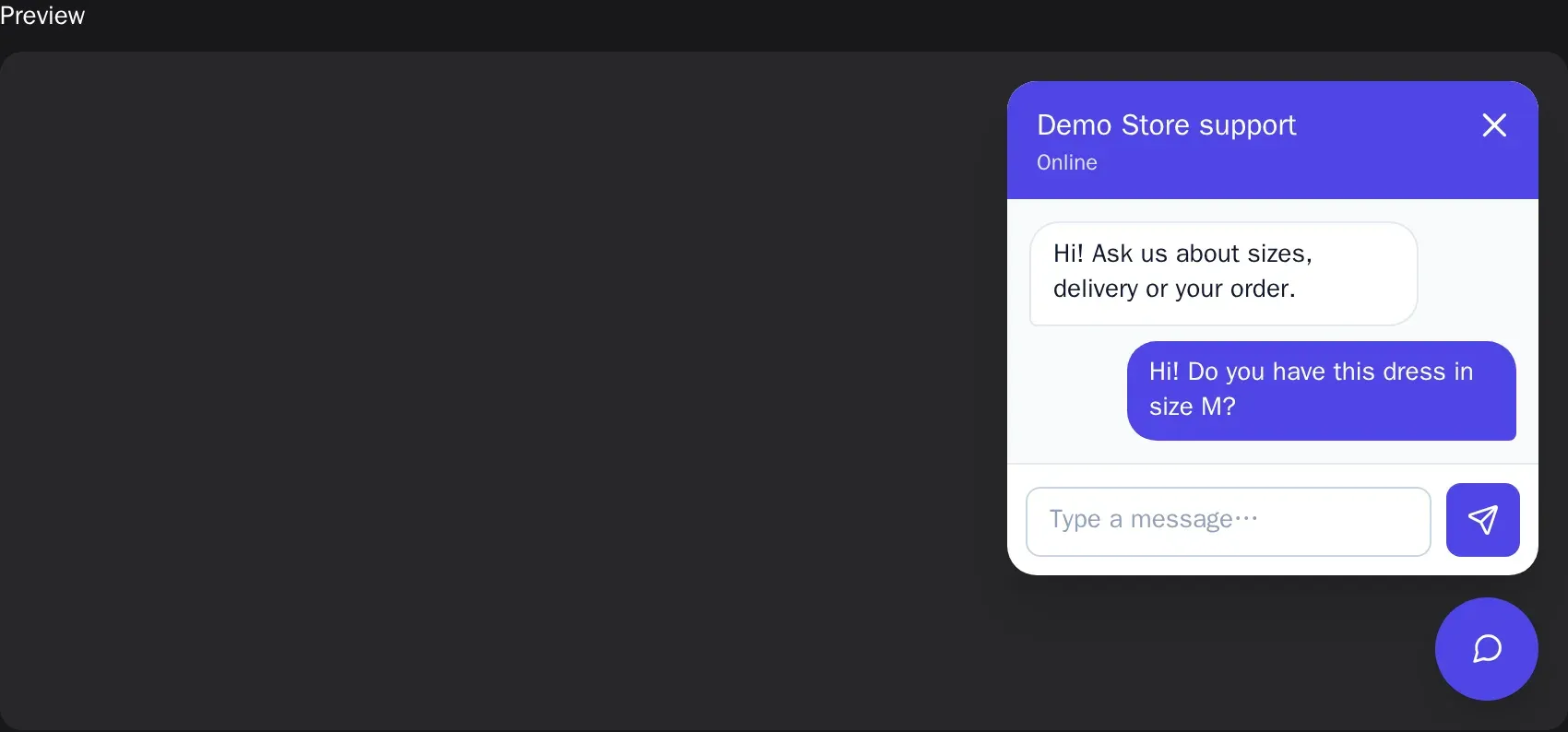
Messengers and email in the same inbox
Messages to your Telegram, MAX and Viber bots, WhatsApp, your VK community, Instagram Direct and your Facebook Page in Messenger become conversations. So do emails to your support address — from an IMAP mailbox or a Postmark, SendGrid or Mailgun webhook, without the quoted thread and with attachments. The answer goes back to the same messenger or by email into the same thread with its delivery status, and the 24-hour rules of WhatsApp, Instagram and Messenger are checked before sending.
- Auto-replies and newsletters stay out of the chat
- Quick-reply buttons are native wherever the channel supports them
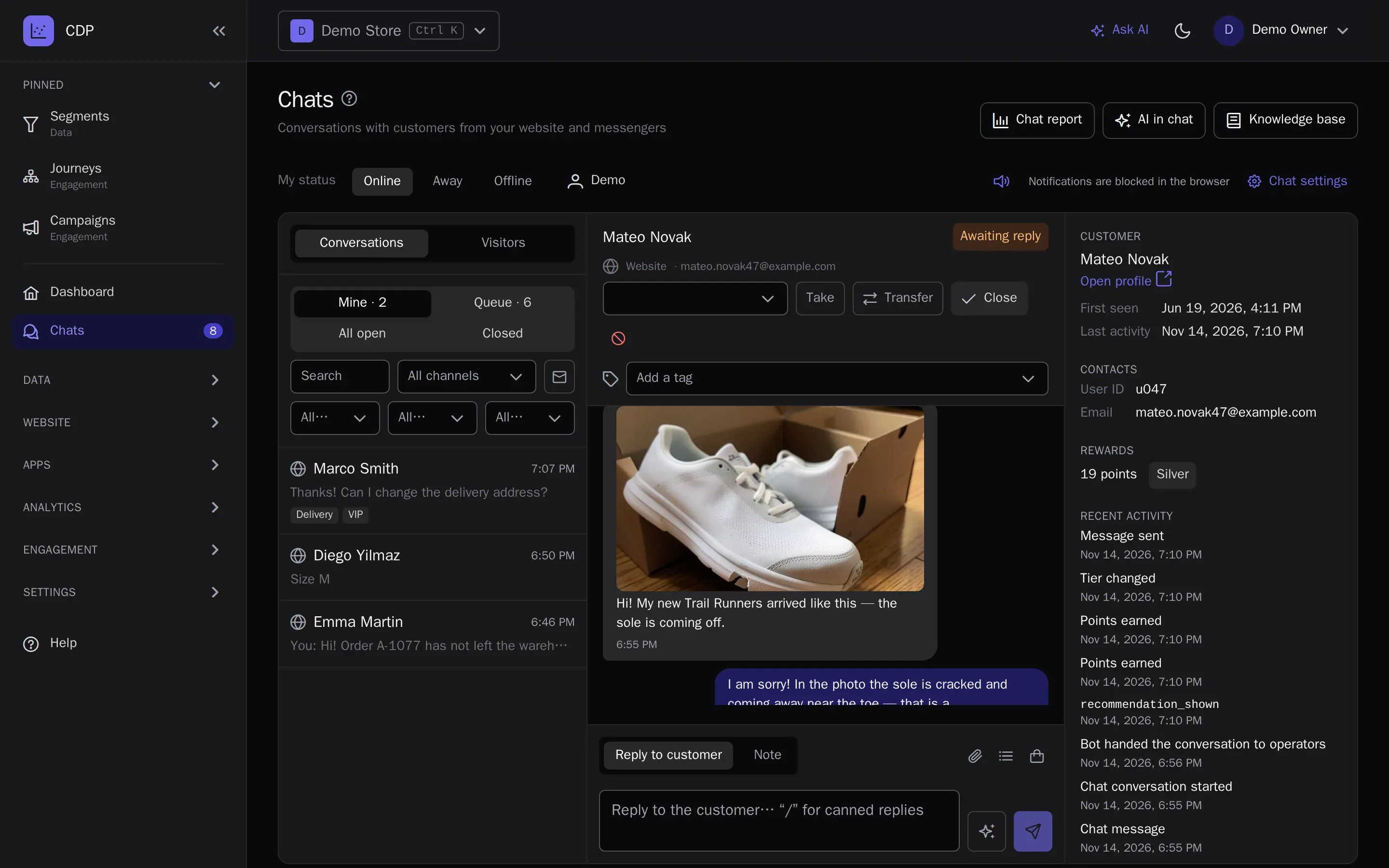
Customer photos right in the conversation
Customers show a damaged item, a receipt or an error on your website as a picture: a paperclip, a pasted screenshot or drag and drop in the website chat, and photos from Telegram, WhatsApp, Viber and MAX land in the same conversation. Operators see the picture in the thread, and the bot describes what is on it and answers by your store rules or hands the conversation to a person.
- JPEG, PNG and WebP up to 10 MB, large photos are compressed in the browser
- Files are stored privately for 180 days, without camera and location data
- The AI sees images with a switch in the bot settings
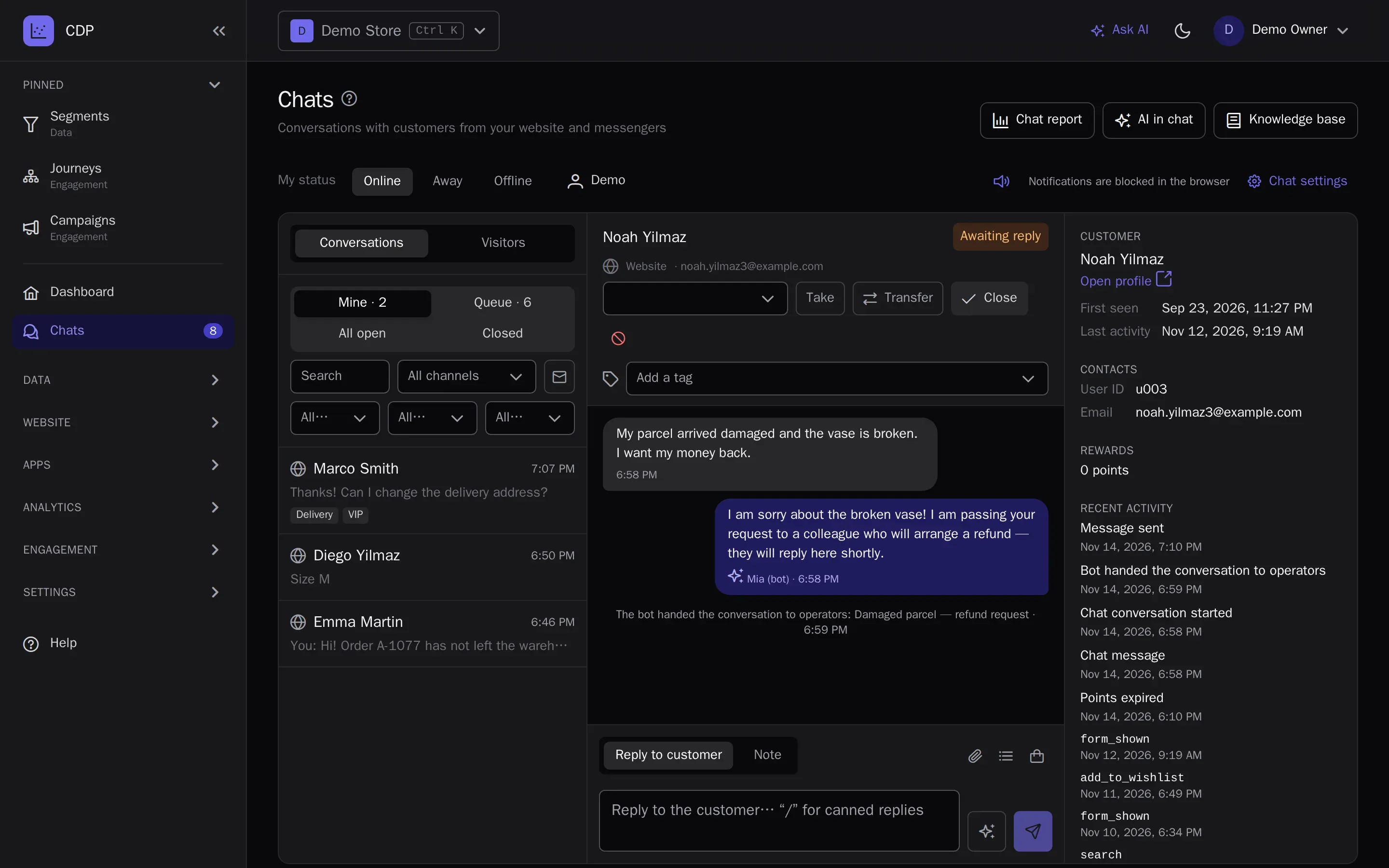
AI bot and reply drafts
The bot answers customers on your website and in messengers from your knowledge base — articles and the website pages with your delivery, payment and return rules — and from the customer’s own data: where the order is and its tracking number, points balance, promo codes. When there is no answer, the topic needs a person or the customer asks for one, the bot hands the conversation to the queue. For operators, the AI drafts a reply with its sources.
- Modes: bot first, or only when no operators are online
- Report: what the bot resolved, what it handed over and why, ratings
- Pay as you go from the balance, with a monthly spending limit
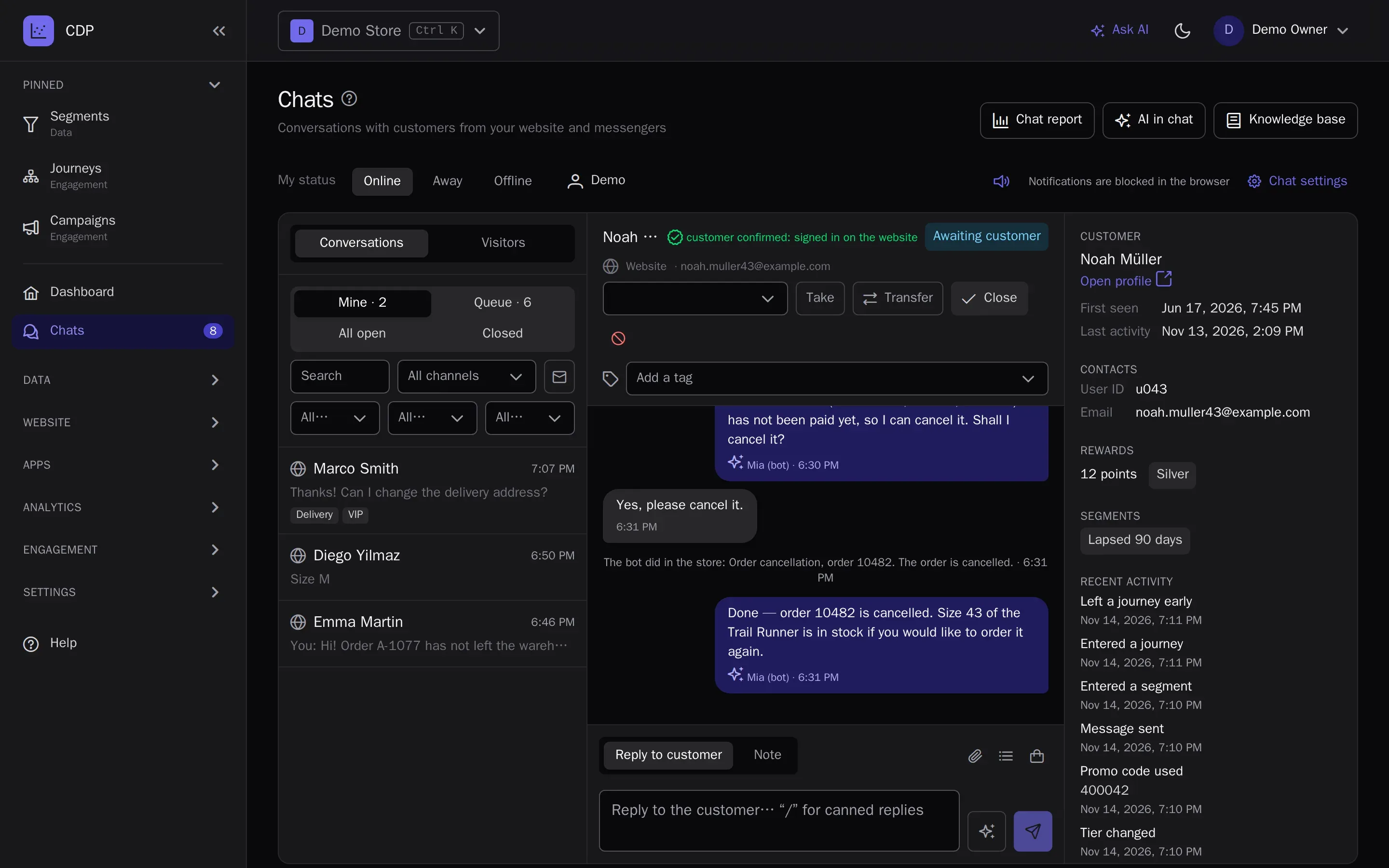
A bot that knows your store
Connect your store to the bot over MCP and it answers with live data: where the order is and what is in it, the tracking number, whether a product is in stock, what delivery costs, how to return a purchase. If you allow it, the bot cancels an unpaid order or passes a return or delivery change request to the store — only after the customer clearly agrees in the chat. The WooCommerce, Magento 2 and 1C-Bitrix modules connect themselves; any other store connects by the open MCP contract, with a ready server in the PHP library and the Laravel package.
- Customers are confirmed by their store login or a code by email — the bot never shows someone else’s order
- The store chooses what the bot may do in the module settings
- Every action is a line in the conversation and an entry in the audit log
Departments, routing and SLA
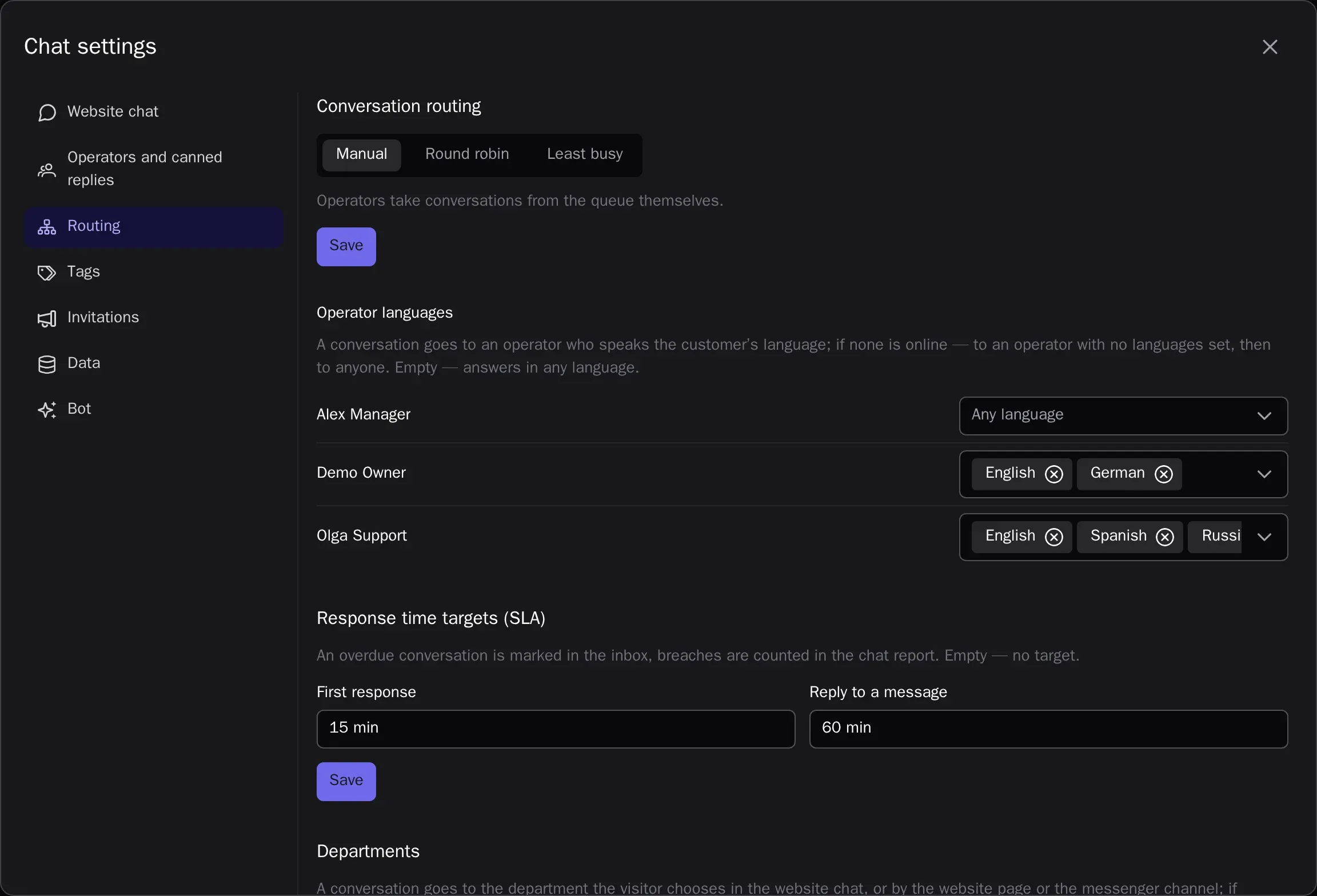
A conversation goes to a department by the visitor’s choice in the pre-chat form, by the website page or by the channel. Routing is manual, round robin or to the least busy operator online, with a limit of conversations per operator; visitors see their place in the queue. Goals for the first response and for each reply mark overdue conversations in the inbox.
- Each department has its own operators and working hours
- When the bot hands over, the conversation joins its department’s queue
- The Operator role has no access to campaigns or settings
Teamwork
Internal notes are visible to operators only and never reach the customer. Conversation tags filter the inbox and trigger journeys and segments. Hand a conversation to a department or a colleague with a comment, see the customer’s past conversations in the profile panel, and read what a visitor is typing before they send it.
- Canned replies on “/”
- Online, away and offline statuses with time online
- Block a spammer by browser and IP
Files, buttons and product cards
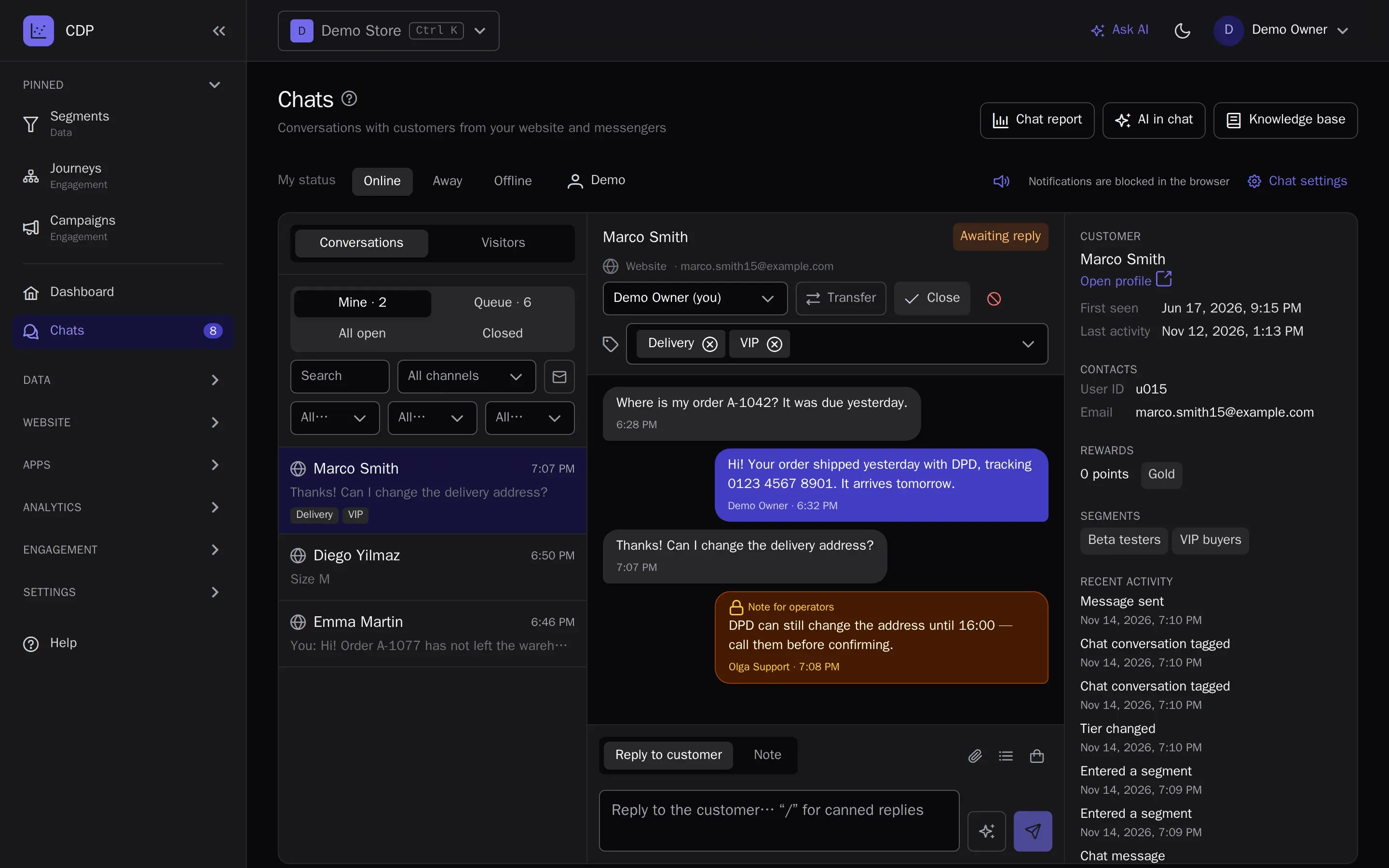
Operators send images and documents, quick-reply buttons and product cards from your catalog with an image, a price and a link. Each channel gets the answer in the form it can show: buttons in Telegram, Viber and Messenger, documents as links in messengers, cards right in the website chat and in emails. Customers send PDFs and Office documents, and the file type is checked by its content.
Chat in the customer’s language
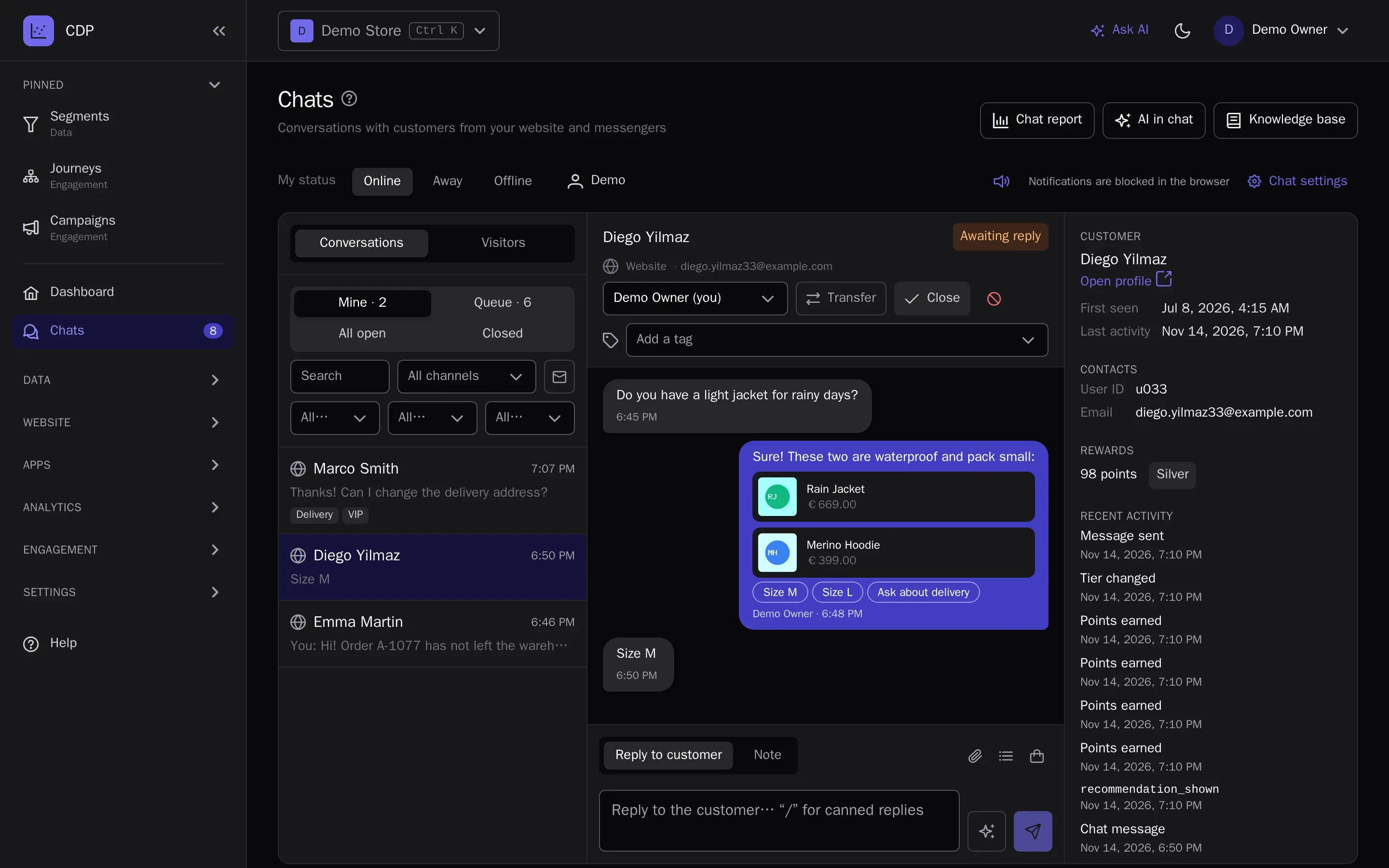
The customer’s language comes from the browser, the messenger, the profile or the message text, and shows in the conversation list. Routing hands the conversation to an operator who speaks it; the greeting, chat texts, messenger welcome and canned replies exist in every language of your site. When the operator doesn’t speak the language, the AI translates the customer’s messages and the operator’s reply, with a review before sending.
- Translations are kept in the conversation and never paid for twice
- Operators show customers their own name and avatar, not their account name
- Quiet, distinct sounds for operators and customers, silent for the conversation you are reading
Invitations and visitors online
See who is on your website right now — the page, the source, time on site and the CDP profile — and start a conversation with one click. Auto-invitations from an operator appear next to the chat button by conditions: time on the page and on the site, pages, source, new or returning visitors, device and segment.
Report and operator app
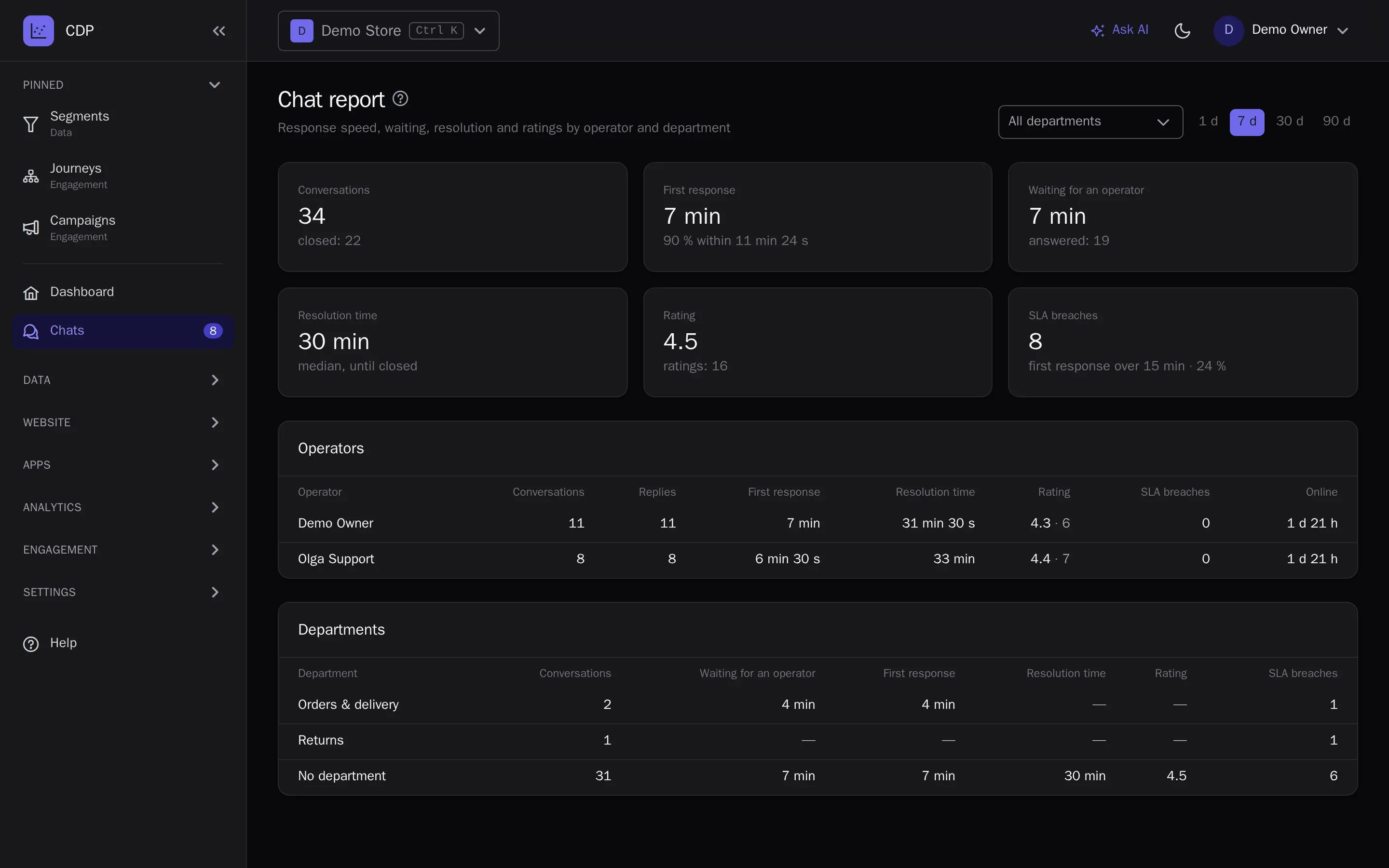
The chat report for a day, a week, a month or a quarter: first response (median and 90th percentile), waiting for an operator, resolution time, ratings and SLA breaches — by operator and department, with time online. The operator inbox installs as an app on desktop and phone and sends push notifications about new messages and handed-over conversations, even when the tab is closed.
- Push goes to the assignee, or to operators online while the conversation is in the queue
- Chat retention and erasure together with the profile on a GDPR request
- Chat event webhooks to your helpdesk or CRM
Automation and bots
A conversation starting, closing, being rated or tagged starts journeys: a low rating sends an apology with a promo code, a high one asks for a review. Chat events are available in segments. A bot or an external helpdesk reads conversations and answers through the API with buttons and product cards, and AI assistants do the same over MCP.
- Website chat, departments, the report and the operator app on every plan
- Messenger and email conversations on the Growth and Enterprise plans
- Profiles and eventsA single customer profile from website, app and CRM events.
- SegmentsAudiences by events and attributes — in real time.
- PredictionsRFM, churn risk, purchase probability, revenue forecast, best send time and channel.
- JourneysVisual scenarios: triggers, waits, branches and A/B.
- LoyaltyPoints, paying with points, tiers, friend referrals, promo codes and Wallet cards.
- Channels and campaignsEmail, web and mobile push, in-app messages, SMS, messengers and A/B-tested campaigns.
- Signup formsPopups and website forms: the contact goes straight into the profile with consent.
- Recommendations and widgetsPersonal product picks on your site and in emails.
- AnalyticsReports, funnels, retention, revenue, traffic, channel attribution, ROPO and a control group.
- AI assistantsThe in-app assistant figures things out and builds campaigns; Claude and ChatGPT over MCP.
- White-labelThe platform under your brand and domain.
Try it on your own data
14 days on the Growth plan, no card required: up to 1,000 profiles and 500 emails a day.