
Journeys that work for you
Abandoned cart, welcome series, win-back, birthday — build the scenario in a visual editor and launch it across all channels at once.
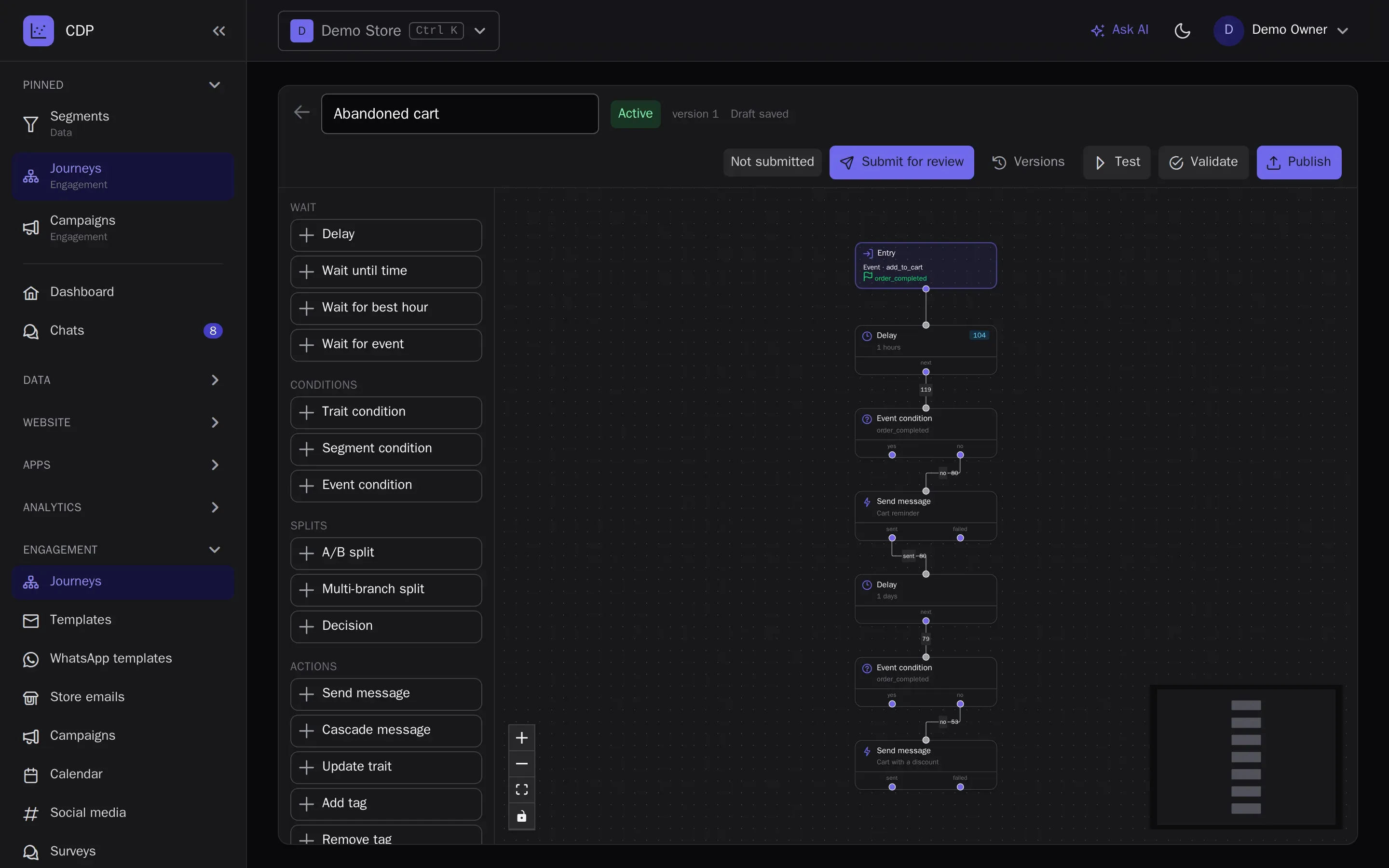
Visual editor
Triggers on events, segments, dates and schedules, waits, conditions, traffic splits for A/B tests, attribute updates, webhooks and goals. Before publishing, a journey is validated and dry-run on a test profile.
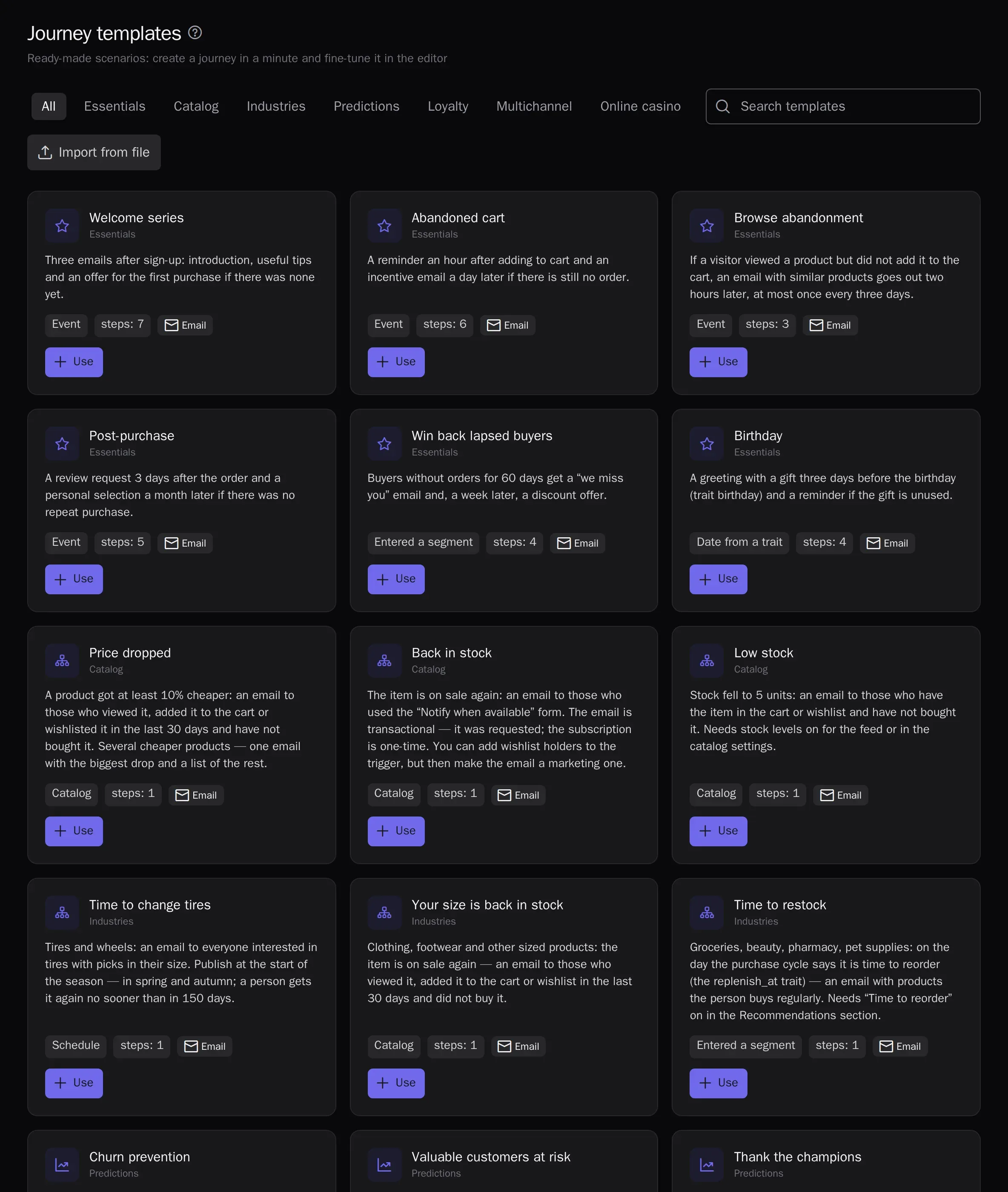
Template library
Add ready-made e-commerce scenarios to your project in one click: message templates and segments are created along with the journey.
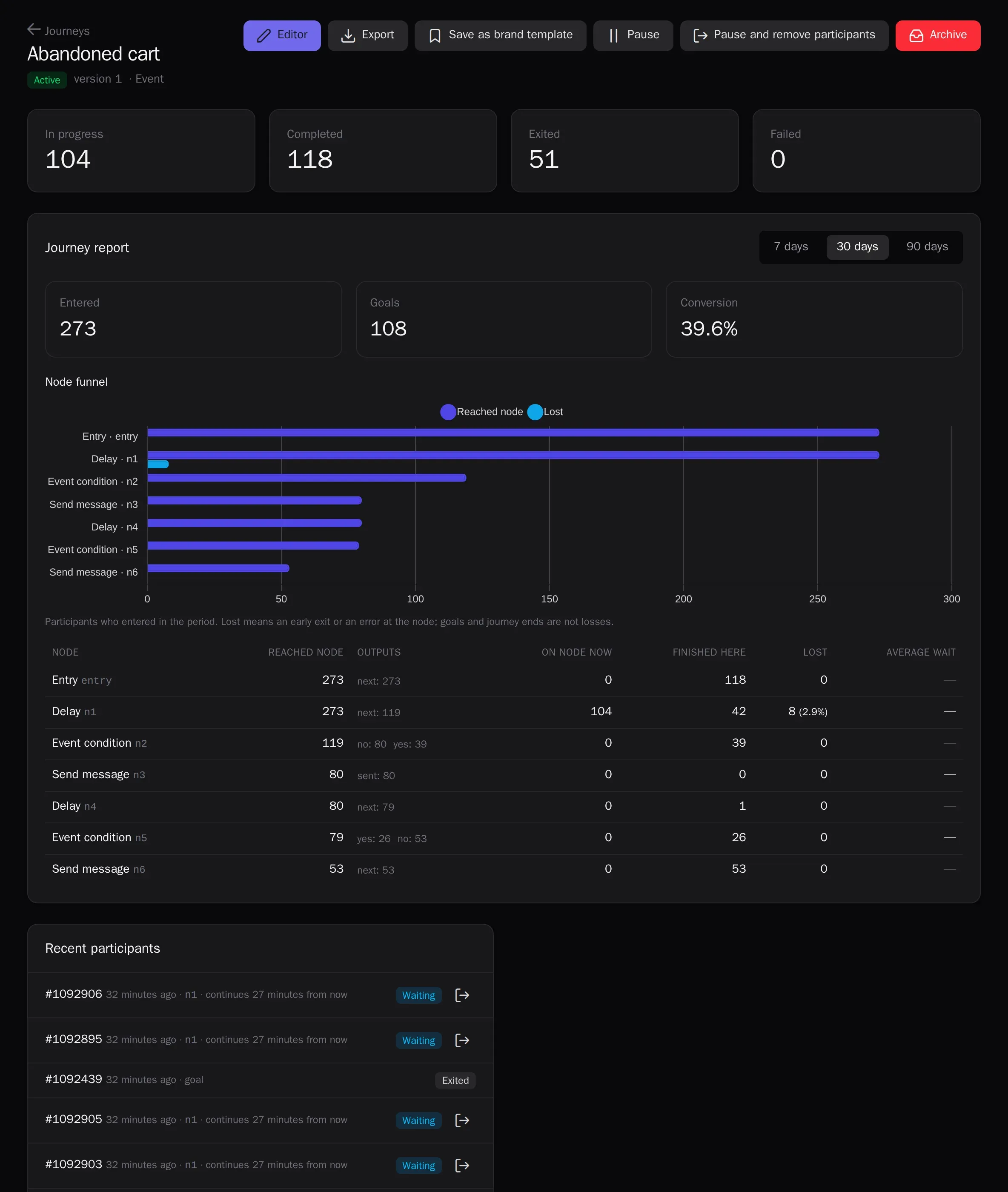
A report for every step
Participants at each node, goal conversion and A/B branch comparison with statistical significance — no spreadsheet exports.
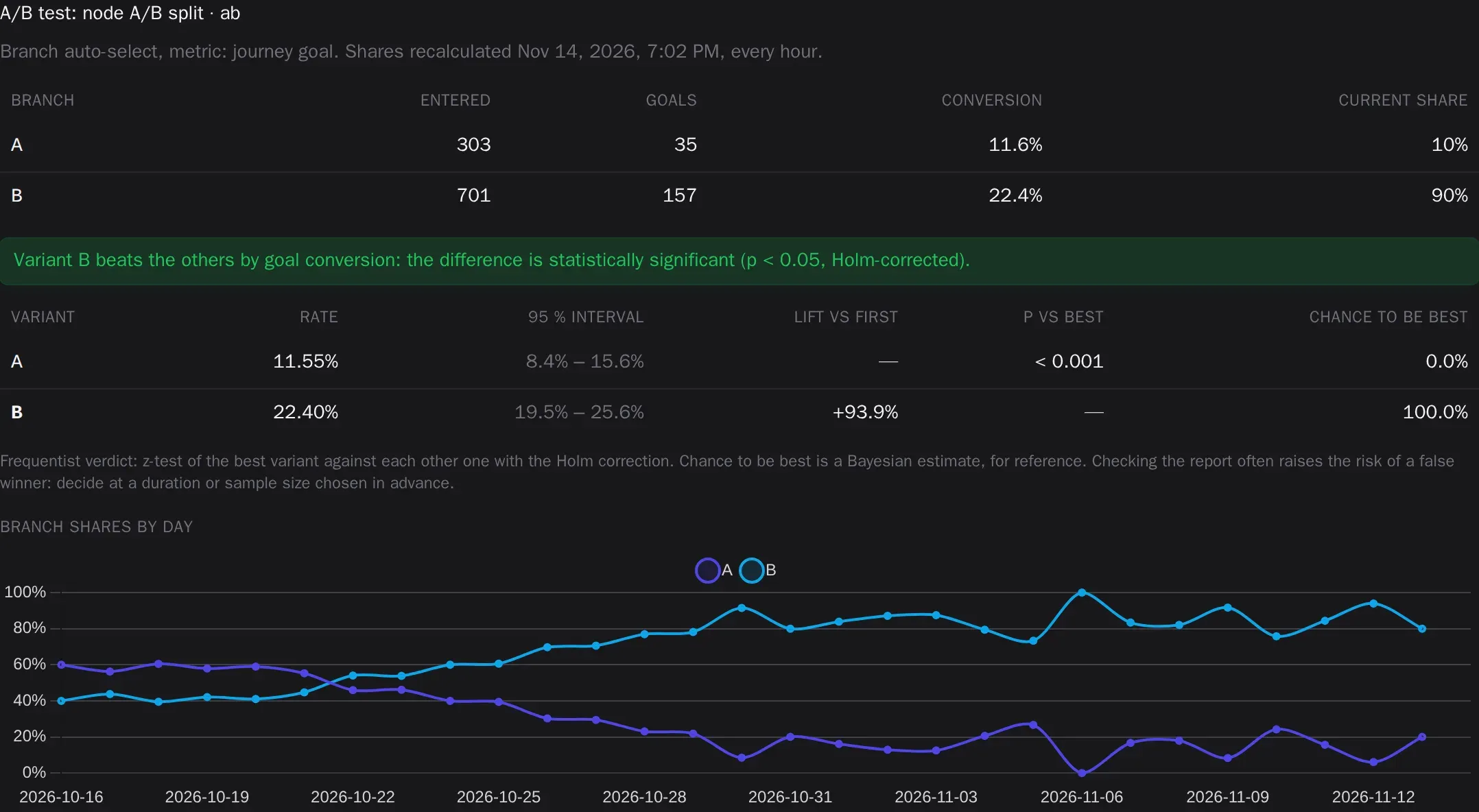
Auto-select the best branch
An A/B split in Automatic mode shifts participants to the branch that more often leads to the goal, an open or a click: equal at first, then shares are recalculated every hour, and every branch keeps at least 10%. Recurring campaigns learn the same way: each run’s variant shares come from the results of previous runs. On the Growth and Enterprise plans.
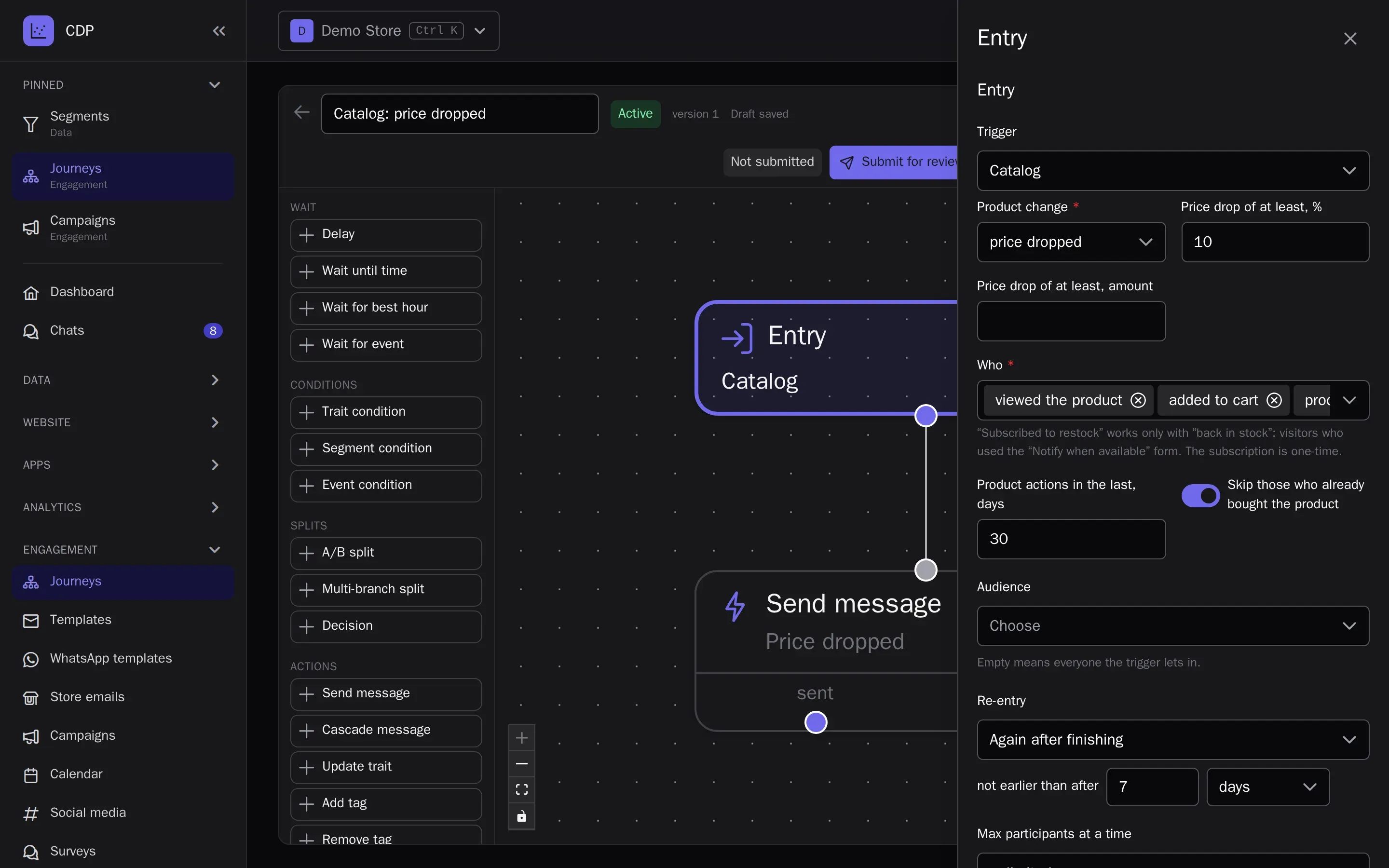
Price and stock alerts
The Catalog trigger writes on its own when a product gets cheaper, is back in stock or is running low — to those who viewed it, keep it in the cart or wishlist and have not bought it yet. The “Notify when available” form on sold-out product pages collects requests; the WooCommerce, Magento 2 and 1C-Bitrix plugins add it for you.
- Profiles and eventsA single customer profile from website, app and CRM events.
- SegmentsAudiences by events and attributes — in real time.
- PredictionsRFM, churn risk, purchase probability, revenue forecast, best send time and channel.
- LoyaltyPoints, paying with points, tiers, friend referrals, promo codes and Wallet cards.
- Channels and campaignsEmail, web and mobile push, in-app messages, SMS, messengers and A/B-tested campaigns.
- Live chatWebsite chat, messengers and email in one inbox for your whole support team, with the customer profile alongside.
- Signup formsPopups and website forms: the contact goes straight into the profile with consent.
- Recommendations and widgetsPersonal product picks on your site and in emails.
- AnalyticsReports, funnels, retention, revenue, traffic, channel attribution, ROPO and a control group.
- AI assistantsThe in-app assistant figures things out and builds campaigns; Claude and ChatGPT over MCP.
- White-labelThe platform under your brand and domain.
Try it on your own data
14 days on the Growth plan, no card required: up to 1,000 profiles and 500 emails a day.