
Switch platforms without losing history or a week of downtime
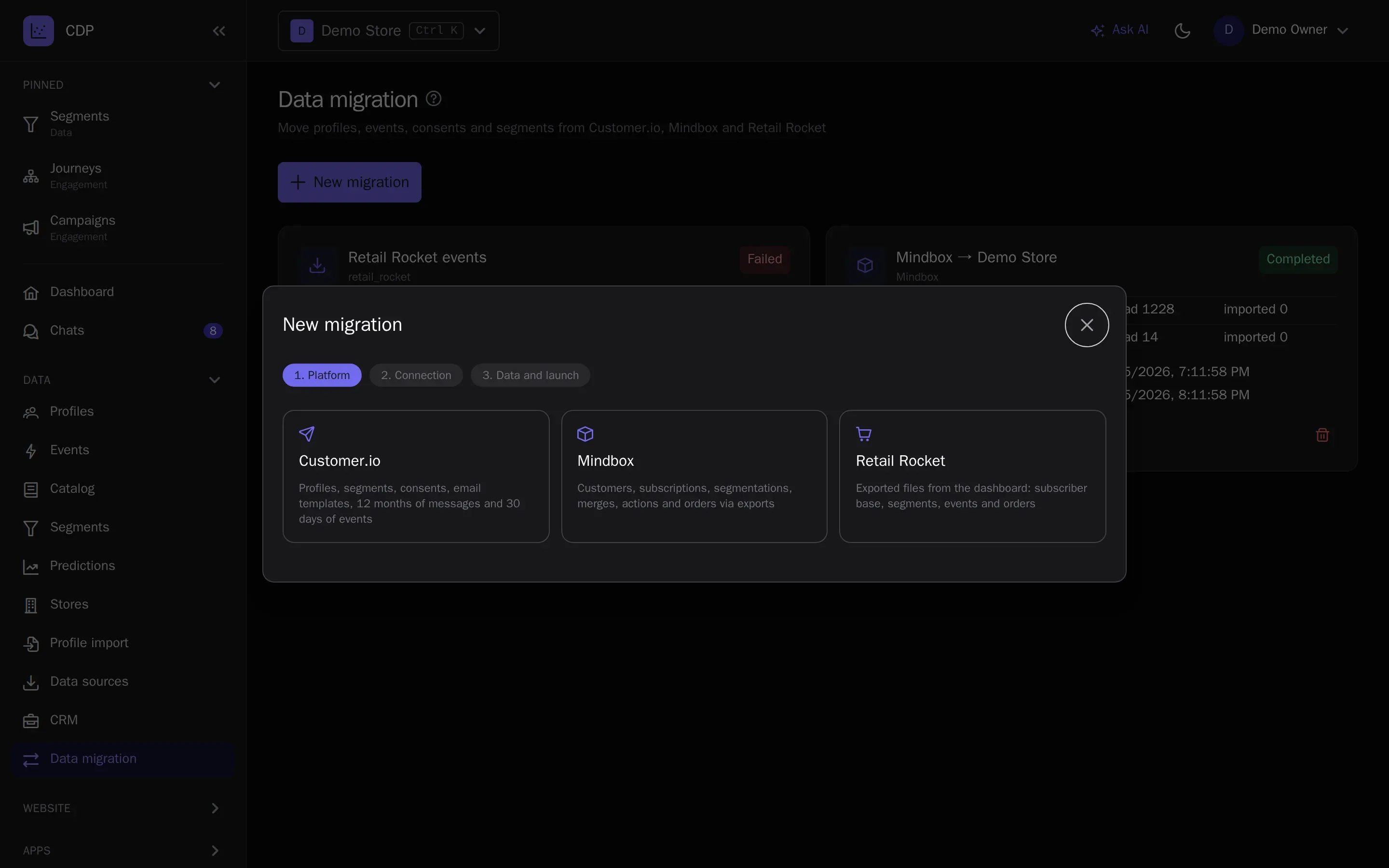
The main fear of switching is losing customer history and pausing campaigns during the move. The built-in migration transfers data in the background and keeps syncing changes while you switch, and AI breaks your existing emails into builder blocks.
Moving from another platform
- Years of purchase history and consents are scary to lose in the transfer
- Email templates would have to be rebuilt by hand
- Campaigns and journeys stop while the move is in progress
- 01
Start the migration
Give access to the old platform — customers, events, consents and segments move in the background with checkpoints, and changes keep syncing afterwards.
- 02
Move your emails
Upload an email saved from your mail client (.eml) or its HTML — AI breaks it into builder blocks, inserts the recipient name and the unsubscribe link and moves images to the media library.
- 03
Build journeys
Ready-made scenarios from the library, or a plain-language description to an AI assistant — it builds a journey draft over MCP for you to review and publish.
- 04
Switch over
Connect a sending domain with a group of CNAME records — warm-up of the new domain runs automatically — and switch the site to the tracker or a plugin.
- Customer history and consents are in place from day one
- Emails move in minutes, not weeks of rebuilding
- Campaigns do not stop during the move
Built on
- Abandoned carts and repeat purchasesThe first automated scenarios for a store: carts, welcome, the purchase after the purchase.
- Personalization: recommendations and searchPersonal picks on the site and in emails, and catalog search that forgives typos.
- Win back customers who are leavingChurn prediction, RFM segments and reactivation journeys before the customer is gone.
- Loyalty programPoints, paying with points, tiers, refer-a-friend and promo codes — on the same profiles.
- Order notifications and cascadesTransactional messages with one API call and a WhatsApp → SMS → email cascade.
- Revenue and marketing attributionRevenue, LTV, traffic sources and sales attribution by channel — on the same events.
- Marketing with a small team and AIClaude or ChatGPT answer from reports and build segments, emails and journeys over MCP.
- Large databases and strict requirementsFrom 250,000 profiles: a dedicated IP, an SLA by contract, long retention and access control.
- Agencies and integratorsThe platform under your brand: your domain, client projects and your journey templates.
Try it on your own data
14 days on the Growth plan, no card required: up to 1,000 profiles and 500 emails a day.